 AI
AI

Build an app with AI or for free: what is possible and where it stops
AI app builders such as Lovable, Bolt, Replit and Google AI Studio can turn a description into a working prototype, often for free. This guide compares their plans, the App Store and Google Play fees, the review rules and the five security checks to run before launch.


Key takeaways
- AI app builders can produce a working web prototype from a written description, often on a free plan with daily credit or token limits.
- Publishing costs money: Apple's Developer Program is 99 USD a year and a Google Play developer account has a US$25 one-time fee.
- New personal Google Play accounts need a closed test with at least 12 testers for 14 continuous days before production access.
- Apple rejects apps that only repackage a website or come from a commercial app generation service unless the content provider submits them.
- Veracode found risky security flaws in 45% of tests of AI-generated code, so check sign-in, database rules and secrets before real users.
On this page
Yes, you can build an app with AI in 2026. Tools such as Lovable, Bolt, Replit and Google AI Studio turn a plain-language description into a working prototype, often on a free plan. The limits arrive after the demo: store fees, app review, security, personal data and maintenance still need money and a developer's judgement.
Interest in these tools is real. In its Saudi Internet 2025 report, the Communications, Space and Technology Commission (CST) put the adoption rate of AI tools in the Kingdom at 45.2%, more than double the previous year, and listed programming and technical tasks among the uses it measured, at 13.5% [1]. This guide shows what AI can build for you today, what it costs, and where someone with engineering experience has to take over. Every price below was read on the vendor's own page on 14 October 2026; plans change often, so check again before you pay.
What building an app with AI means in practice
Three kinds of tools sit behind the phrase, and they produce different things.
- AI app builders. You describe the app in a chat, and the tool writes the code, sets up a database and hosts a preview. Lovable, Bolt, Replit and the Build mode in Google AI Studio work this way. Most produce web apps; Google AI Studio can also generate native Android apps in Kotlin [6].
- Visual builders with AI help. You assemble screens from ready-made components and use AI for parts of the work. FlutterFlow is one example. MIT App Inventor is a free, block-based alternative without AI generation, and it builds apps for Android and iOS [7][8].
- General AI assistants that write code. They explain and produce code snippets, but you assemble, run and host the result yourself. This route suits people who already program.
For someone who does not code, the first group is the realistic way to a working prototype in an afternoon. For anything that will hold customer data or take payments, all three need the same checks, described later in this guide.
AI app builders compared: the free plan and the first paid plan
The table shows each tool as its own page described it on 14 October 2026. Prices are in US dollars, as listed, before any tax.
| Tool | What it produces | Free plan and its main limits | First paid plan |
|---|---|---|---|
| Lovable [2] | Full web apps from a chat prompt | 5 build credits a day, up to 30 a month; GitHub sync included, but no code download and no custom domain | Pro $25 a month, or $250 a year |
| Bolt [3] | Websites and web apps | 300,000 tokens a day and 1 million a month; hosting included; Bolt branding on the site; no custom domain | Pro $25 a month, from 10 million tokens |
| Replit [4][5] | Web apps built by an AI agent in a cloud editor | Starter: one published app, taken down automatically after 30 days, with a "Made with Replit" badge | Core $20 a month, or $18 a month billed annually |
| Google AI Studio, Build mode [6] | React and Node.js web apps, or native Android apps | Starts without manual set-up; costs may apply for paid models and for hosting on Google Cloud Run | Pay for paid-model usage and hosting |
| FlutterFlow [7] | Mobile, web and desktop apps in a visual editor | Up to 2 projects; no code download, no APK download and no one-click store deployment | Basic $39 a month |
| MIT App Inventor [8] | Android and iOS apps from drag-and-drop blocks | Free | Not applicable |
Three patterns matter more than the headline prices:
- Credits and tokens run out. Every prompt draws on an allowance, and when it is gone you wait or pay. Prices also climb with the allowance: Lovable's Pro tier with 1,200 credits is $294 a month [2].
- Free plans can hide your exit. Lovable's free plan does not include code download, and FlutterFlow's free plan has none at all [2][7]. Check how you would move the app elsewhere before you put weeks into it.
- A hosted web app is not a store listing. Several builders publish the result as a website. Getting into the App Store or Google Play is a separate step with its own fees and rules.

Can you create an app for free?
You can build and test an app for free. Publishing it in the app stores is where the costs start.
What can stay free, as of October 2026:
- Building a prototype within the limits of the free plans on Lovable, Bolt, Replit and FlutterFlow [2][3][5][7].
- Building in Google AI Studio, as long as you avoid paid models and paid hosting [6].
- Building with MIT App Inventor, which is free [8].
- Sharing a web version by link, within each host's limits; Replit's free published app goes down after 30 days [5].
What costs money or effort:
| Step | Cost or requirement | Source |
|---|---|---|
| Apple Developer Program, needed to distribute apps on Apple platforms | 99 USD a year, charged in local currency where available | [9][10] |
| Google Play developer account | US$25 one-time registration fee | [11] |
| A new personal Google Play account | A closed test with at least 12 testers opted in for 14 continuous days before you can apply for production access | [12] |
| Enrolling a company with Apple | A legal entity (no trade names or branches), a D-U-N-S Number, a public website on the company's domain and a work email on that domain | [10] |
| Custom domain and removing the builder's badge | Paid plans on Lovable, Bolt and Replit | [2][3][5] |
Two practical consequences follow. First, if the app represents your business, publish it from the company's own developer accounts; when an individual enrols with Apple, that person's legal name appears as the seller [10]. Second, the Google Play testing rule means a founder with a personal account needs a real group of testers ready before launch, and at least two weeks for the test [12].

Where AI app builders stop
App store review
Apple's App Review Guidelines show the limit most clearly. Guideline 4.2 expects an app to go "beyond a repackaged website" in features, content and interface [13]. Guideline 4.2.6 says apps created from a commercialised template or an app generation service will be rejected unless the provider of the app's content submits them directly [13]. Guideline 4.3 rejects apps that are indistinguishable from what is already widely available [13].
In practice, a builder can produce an app that Apple then turns away because it only wraps a website or repeats a common idea. Submit from your own developer account, and give the app a job a website cannot do well, such as offline use, notifications tied to a real process or a device feature.
Security and personal data
AI-written code is not safe by default. Veracode's 2025 GenAI Code Security Report, in its October 2025 update, found that AI-generated code introduced risky security flaws in 45% of tests across more than 100 large language models [14].
One public record shows what that can look like. CVE-2025-48757, published on 30 May 2025, describes a database row-level security policy in sites generated by Lovable, up to 15 April 2025, that let unauthenticated attackers read or write arbitrary tables. Lovable disputes the record, stating that each customer accepts responsibility for protecting the data of their own application [15]. Read either way, the lesson is the same: whoever publishes the app answers for its data.
If the app collects names, phone numbers or ID numbers, Saudi Arabia's Personal Data Protection Law also sets conditions on where that data may be sent. Our guide to data residency in Saudi Arabia explains them.
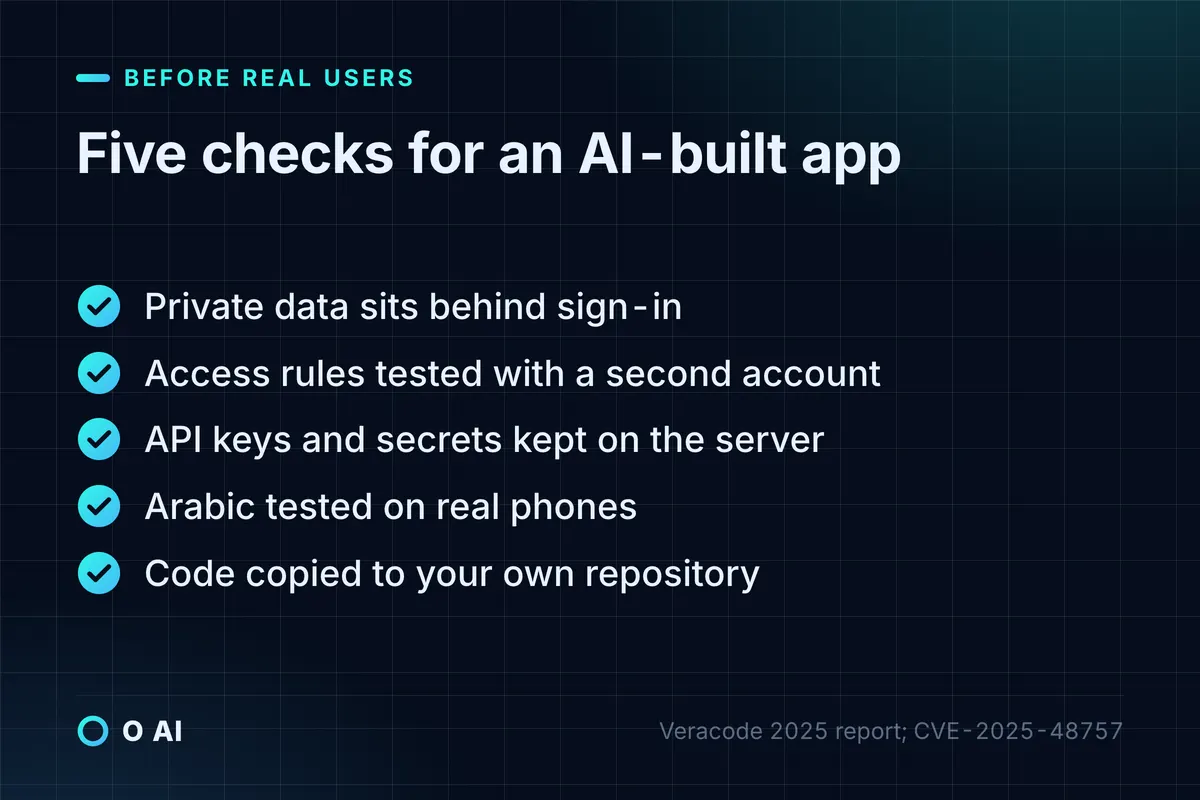
Before real users sign up, run five checks:
- Private data sits behind sign-in.
- Database access rules are tested with a second account that should not see the first account's data.
- API keys and other secrets live on the server, never in the app's code.
- Arabic is tested on real phones: right-to-left layout, names, numbers and dates.
- The code is copied to a repository your company controls.
Payments inside the app
Apple's guideline 3.1.1 requires in-app purchase when an app unlocks features or content such as subscriptions or premium content [13]. If your model sells digital access, build the store's commission into your price from the start and check each store's current rate before launch.
Maintenance after launch
The first version is the cheap part. Every change after launch spends credits; operating systems and store rules change; and code that grew prompt by prompt can be hard for a developer to take over if nobody reviewed it along the way. Keep a copy of the code in your own repository from the first week; Lovable includes GitHub sync even on its free plan [2].
Which route fits your app?
Use the table to match the route to the risk, not to the excitement of the demo.
| Your situation | Sensible route | Why |
|---|---|---|
| Testing an idea with a few dozen potential customers | An AI app builder on a free plan, shared as a web app | Fast and cheap; nothing sensitive is stored |
| An internal tool for a small team, such as bookings or a stock list | An AI app builder on a paid plan, with sign-in and access rules checked | Low risk if the data stays internal and access is limited |
| A simple Android or iOS app for a school or community project | MIT App Inventor or FlutterFlow's free plan | Free and visual, with no deadline pressure |
| A customer app that stores personal data or takes payments | A builder for the prototype, then a developer's review or rebuild before launch | Security, data protection and payment rules need an accountable engineer |
| An app connected to your ERP, a payment gateway or government services | Custom development | Integrations and support outlast any prototype |
For the last two rows, our guide to custom software development in Saudi Arabia explains what drives the cost, and 10 questions to ask an app development company helps you compare whoever builds it.
Seven steps to build an app with AI
- Write the job in one paragraph. Who uses the app, the one task it does and what "done" looks like. Builders follow a clear brief far better than a long feature list.
- Start with a web app. It runs on any phone, avoids store fees while you test, and most builders produce one by default.
- Build the smallest version on a free plan. One type of user, one main flow, sample data only.
- Test in Arabic early. Right-to-left screens, Arabic names, Hijri and Gregorian dates, and mixed Arabic and English text.
- Put five real users in front of it. Watch them use it, then change one thing at a time.
- Run the five checks above before any real data goes in.
- Decide on the app stores last. Pay Apple's 99 USD a year and Google's US$25 fee only when people already use the web version regularly [9][11].
When to bring in a developer
The signals are clear: personal data, payments, more than one type of user, integrations with other systems, or a point where every new prompt breaks something that worked. A practical middle path is to keep the AI-built prototype as a living specification and have a developer review or rebuild the parts that hold data. O AI is one Saudi company that builds custom software of this kind; whichever provider you consider, compare them with the same questions and the same written scope.
Your next step
This week, write the one-paragraph description of your app and build it on the free plan of one tool from the comparison table. Share the web version with five people who would really use it and note where they get stuck. Only then decide whether to pay for a plan, publish to the stores or bring in a developer. That keeps your first attempt to build an app with AI cheap, and the next decision based on evidence.
Frequently asked questions
Can AI build a complete app on its own?
AI app builders can produce a working prototype with screens, sign-in and a database from a written description. They do not decide your access rules, check your personal-data obligations, prepare store listings or maintain the app after launch. Treat the output as a fast first version that a person reviews, especially the database permissions and every screen where users enter personal or payment details.
Is there a truly free way to create an app?
Building and testing can cost nothing. Lovable, Bolt, Replit and FlutterFlow have free plans with limits, Google AI Studio's Build mode starts without a subscription, and MIT App Inventor is free. Distribution is where money starts: Apple's Developer Program costs 99 USD a year and a Google Play developer account has a US$25 one-time fee. A web app shared by link avoids both while you test.
Do I own the code an AI app builder writes?
Read each platform's terms before you build anything important, and keep a copy of the code in a repository your company controls. Practical control also depends on export: Lovable's free plan includes GitHub sync but not code download, and FlutterFlow's free plan has no code download. If a developer or agency builds the app for you, put ownership of the code and the accounts in the contract.
How much does it cost to publish an app on the App Store and Google Play?
As of October 2026, Apple's Developer Program costs 99 USD a year, charged in local currency where available, and Google Play charges a US$25 one-time registration fee. New personal Google Play accounts must also run a closed test with at least 12 testers for 14 continuous days before applying for production access. A company enrolling with Apple needs a D-U-N-S Number and a working website on its own domain.
Will Apple accept an app made with an AI app builder?
Apple reviews the app, not the tool that made it. Its guidelines reject apps that are little more than a repackaged website, apps indistinguishable from what is already widely available, and apps generated from a commercial template or app generation service unless the content provider submits them directly. Submit from your own developer account and make sure the app does a job a website cannot.
Can I build an Arabic app with AI?
Yes, but test it from the first day. Describe the app in the language you are comfortable with, then check right-to-left layout, Arabic fonts, mixed Arabic and English text, numbers and dates on real phones. Tools differ in how well they handle right-to-left screens, so make Arabic part of your first test rather than a final polish before launch.
Is an AI-built app safe for customer data?
Not by default. Veracode's 2025 testing found risky security flaws in 45% of tests of AI-generated code, and a 2025 vulnerability record described generated sites whose database rules let outsiders read or write data. Before customers sign up, have someone check sign-in, database access rules and where secrets are stored, and confirm how personal data is handled under Saudi Arabia's Personal Data Protection Law.
How this article was made: Researched from the sources listed below, opened on 14 October 2026. Drafted with AI assistance, then checked against those sources. General information, not professional advice. Images are AI-generated illustrations.
Sources
- Saudi Internet 2025 (opens in a new tab)Communications, Space and Technology Commission (CST) · cst.gov.sa
- Subscription plans (opens in a new tab)Lovable documentation · docs.lovable.dev
- Pricing (opens in a new tab)Bolt · bolt.new
- Pricing and plans (opens in a new tab)Replit · replit.com
- Plans: Starter (opens in a new tab)Replit documentation · docs.replit.com
- Build mode in Google AI Studio (opens in a new tab)Google AI for Developers · ai.google.dev
- Pricing (opens in a new tab)FlutterFlow · flutterflow.io
- About us (opens in a new tab)MIT App Inventor · appinventor.mit.edu
- Apple Developer Program (opens in a new tab)Apple Developer · developer.apple.com
- Program enrollment (opens in a new tab)Apple Developer · developer.apple.com
- Get started with Play Console: registration fee (opens in a new tab)Play Console Help · support.google.com
- App testing requirements for new personal developer accounts (opens in a new tab)Play Console Help · support.google.com
- App Review Guidelines (opens in a new tab)Apple Developer · developer.apple.com
- 2025 GenAI Code Security Report (October 2025 update) (opens in a new tab)Veracode · veracode.com
- CVE-2025-48757 (opens in a new tab)CVE Program · cve.org
About the author
Newsletter
New guides and news by email
New guides and news about O AI, Rushd and Dalni, at most twice a month. No spam.