 AI
AI

AI image tools: designing with Arabic prompts and comparing options
Five AI image tools compared for designing with Arabic prompts: ChatGPT Images, Gemini, Adobe Firefly with HUMAIN Image 1, Canva and Microsoft Designer. SAR prices checked on 14 October 2026, usage terms, an Arabic prompt template and an ad-design workflow.
Key takeaways
- Understanding an Arabic prompt is now common; writing correct Arabic letters inside the image is not, so add Arabic headlines afterwards in a design tool.
- On 14 October 2026 ChatGPT Plus cost SAR 90 a month, Google AI Plus SAR 18.99, Firefly Standard SAR 43.07 and Canva Pro SAR 450 a year in Saudi Arabia.
- Microsoft Designer is licensed for personal, non-commercial use, so it does not suit company adverts.
- ChatGPT and Canva terms give you ownership of outputs but warn they may not be unique; Adobe describes Firefly model outputs as safe for commercial use.
- Real people in AI ads need documented consent and clear disclosure under SDAIA's Deepfakes Guidelines; customer data used in marketing needs PDPL consent.
On this page
- Arabic prompts and Arabic text: two different tests
- AI image tools compared by task, price and terms
- ChatGPT images: what you can do with them
- How to write an Arabic image prompt that works
- Designing an ad with AI: five steps
- Rights and usage terms: who owns an AI image?
- Labelling AI images
- A checklist before you publish an AI image
- Your next step
AI image tools can now design posts, ads and illustrations from a prompt written in Arabic, but they differ in what they do well. Compare them by task, price model, how they handle Arabic prompts and Arabic text inside the image, and the usage terms for commercial work, then check every letter before you publish.
This guide compares five widely available tools for image design in Saudi Arabia: ChatGPT Images, the Gemini app, Adobe Firefly, Canva and Microsoft Designer. We read every price and term on the vendor's own pages on 14 October 2026, as shown to a visitor in Saudi Arabia. O AI is not affiliated with OpenAI or any other company named here. This guide is about creating new images; editing photos you already have is a separate job with its own tools.
Arabic prompts and Arabic text: two different tests
"Supports Arabic" can mean two different things, and only the first is reliable today.
Understanding an Arabic prompt. ChatGPT lists Arabic among its supported languages [1]. Canva says Canva AI supports Arabic among its languages [2]. HUMAIN Image 1, a model from HUMAIN that Adobe offers inside Firefly and Adobe Express for creators in Saudi Arabia, was built for Arabic-language prompts; Adobe notes that Arabic prompts are translated for processing by the model, and that Firefly understands prompts typed in Arabic even though its interface is not yet in Arabic [3].
Writing Arabic letters inside the image. This is harder. Google says the Gemini app adds text to images "with more accurate spelling, for all supported languages" [4]. Microsoft warns that text generated by Designer may not be in the requested language or may have spelling errors [5]. OpenAI's help page says ChatGPT Images can follow instructions to add text, without listing which scripts work best [6].
In practice, Arabic text from an image model often comes out with letters that do not join, words in the wrong direction or missing dots. The dependable method:
- Generate the image without text, leaving empty space where the headline will go.
- Add the Arabic text in a design tool with a proper Arabic font. Adobe says Adobe Express offers native right-to-left Arabic editing [3]; whichever editor you use, confirm that it joins Arabic letters correctly.
- Let a native reader check every word, number and diacritic before publishing.
AI image tools compared by task, price and terms
All prices were shown in Saudi riyals on 14 October 2026.
| Tool | Strongest at | Arabic prompt | Price model in Saudi Arabia | Commercial use |
|---|---|---|---|---|
| ChatGPT Images | Quick concepts, posters and logos from templates; editing uploaded images [6] | Arabic listed for ChatGPT [1] | Free SAR 0 with limited image creation; Go SAR 35, Plus SAR 90, Pro from SAR 430 a month [7] | You own the output; it may not be unique [8] |
| Gemini app | Edits and images combining several reference photos; text in images [4] | Text spelled "for all supported languages" [4] | Free can create and edit; Google AI Plus SAR 18.99, Pro SAR 85.99 a month [9] | Check Google's terms; do not violate others' copyright or privacy [4] |
| Adobe Firefly | Commercially safe images from Adobe's own models; partner models including HUMAIN Image 1 [10][3] | Understands Arabic; HUMAIN Image 1 built for it [3] | Free daily generations; Standard SAR 43.07, Pro SAR 86.17 a month [10] | Firefly models "safe for commercial use"; partner models are your responsibility [10] |
| Canva AI | Finished social posts and ads inside templates; AI ad creation [2] | Arabic supported [2] | Free up to 20 AI uses; Pro SAR 450 a year; Business SAR 700 a year per person [2] | You own the output, except Canva library content [11] |
| Microsoft Designer | Free personal images and cards [5] | No language list; text may be misspelled [5] | Free with a Microsoft account; a subscription may be needed for frequent use [5] | Personal, non-commercial use [5] |
Price models: what you are paying for
- Plan with message or image limits (ChatGPT, Gemini): you pay a monthly plan that raises how much you can create. ChatGPT's Free tier lists image creation as limited and its Pro tier as unlimited, subject to abuse guardrails [7].
- Monthly credits (Adobe Firefly): paid plans include unlimited standard image generation and a monthly credit allowance for premium features such as video; credits reset each billing cycle and do not roll over [10].
- Shared AI allowance (Canva): AI tools draw on one monthly allowance; Canva estimates up to 200 uses of Premium AI tools a month on Pro and up to 400 on Business [2].
- Free with conditions (Microsoft Designer): free, but licensed for personal, non-commercial use [5], which rules it out for a company's adverts.
Adobe's Saudi page also invited eligible citizens and residents aged 13 and over to register for 12 months of free Firefly Standard, with 2,000 generative credits a month and Adobe Express Premium features, under a National Access Programme [3]. Check the eligibility conditions on the page before you buy a plan.
Illustrative example: one year of ad images for a café in Al Khobar
Illustrative example. A café wants four promotional images a week for Instagram and in-store screens, with Arabic headlines, and pays for one tool.
| Tool | Calculation | Cost for 12 months |
|---|---|---|
| Gemini, Google AI Plus | SAR 18.99 × 12 | SAR 227.88 |
| Canva Pro | 1 person × SAR 450 a year | SAR 450 |
| Adobe Firefly Standard | SAR 43.07 × 12 | SAR 516.84 |
| ChatGPT Plus | SAR 90 × 12 | SAR 1,080 |
| Microsoft Designer | Free | Not suitable: personal, non-commercial use only [5] |
The cheapest option is not automatically the right one. If the café needs finished posts with Arabic headlines and brand colours, a design tool that also generates images saves a second step; if it needs varied scenes and quick concept rounds, a chat-based image tool may be faster. Test two on the same brief before paying for a year.
ChatGPT images: what you can do with them
ChatGPT Images is available on all ChatGPT plans, on the web, iOS and Android [6]. According to OpenAI's help page, you can [6]:
- Create from a description, or start from templates such as a poster or a logo.
- Add text, details or a transparent background by asking for them.
- Edit an uploaded image by describing the change, or by highlighting the area with the selection tool first; OpenAI warns that edits may extend beyond the selected area.
- Choose any aspect ratio with the aspect-ratio picker.
- Turn a sketch into an image on the mobile app.
"Images with thinking" is available on Plus, Pro and Business [6]. Images you create are saved under Images in your account, and deleting the conversation removes the image from that view [6].
On terms, OpenAI assigns you its rights in the output, notes that other users may receive similar output, and forbids presenting AI output as human-generated [8]. OpenAI adds that images generated with ChatGPT carry both Content Credentials and SynthID watermarks [12].
How to write an Arabic image prompt that works
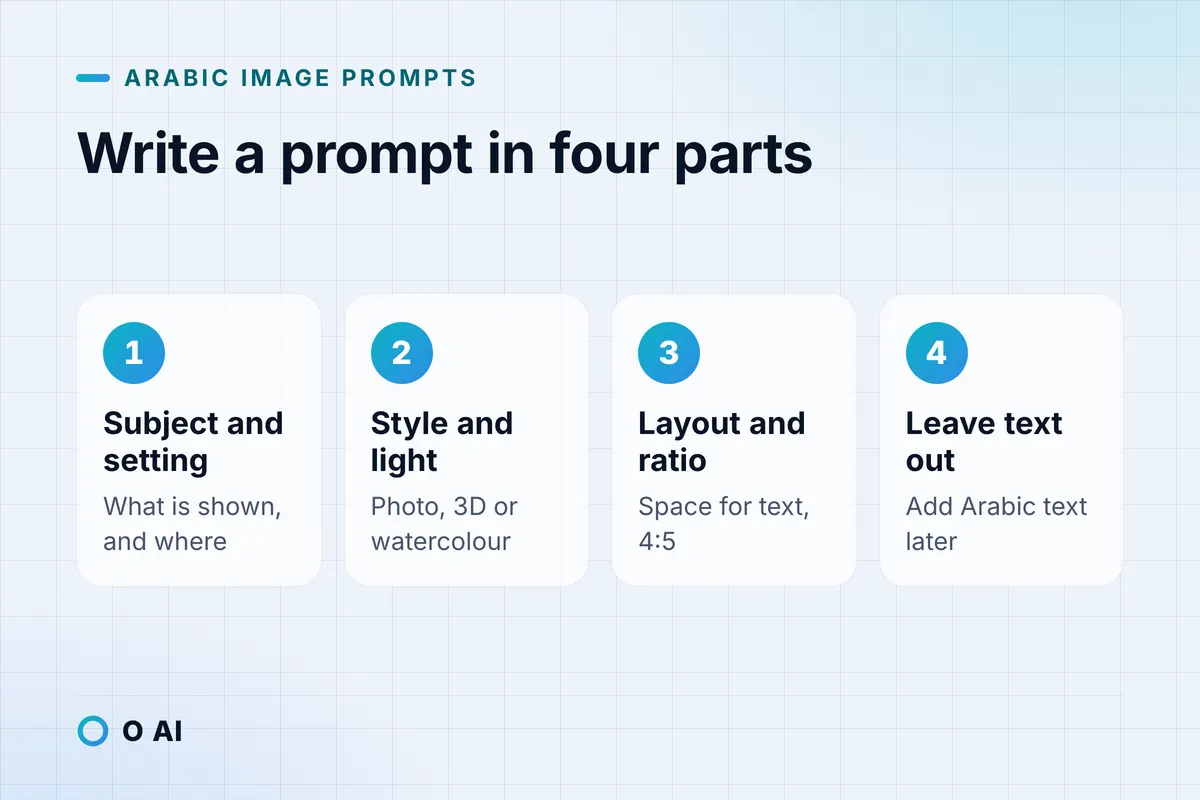
A clear prompt in Arabic follows the same structure as a good brief to a designer. Four parts are enough:
- Subject and setting: what is in the picture, and where.
- Style and light: realistic photo, 3D illustration or watercolour; morning light, golden hour, studio light.
- Layout and ratio: where the empty space for text goes, and the format (1:1, 4:5, 16:9).
- What to leave out: no text, no logos, no people if you do not have their consent.
Illustrative example. A prompt for the café above, written in Arabic:
صورة إعلانية واقعية لدلة قهوة عربية وفناجين صغيرة وصحن تمر على طاولة خشبية في مقهى بالخبر وقت الغروب، إضاءة دافئة جانبية من نافذة، ألوان بنية وذهبية مع لمسة فيروزية، مساحة فارغة في الثلث العلوي للعنوان، بلا أي كتابة أو شعارات، بنسبة 4:5.
In English: a realistic ad image of an Arabic coffee pot, small cups and a plate of dates on a wooden table in a Khobar café at sunset; warm side light from a window; brown and gold with a touch of turquoise; empty space in the top third for the headline; no text or logos; 4:5 ratio.
Then add the Arabic headline and offer in your design tool, and keep the prompt with the image so the next version stays consistent.
Designing an ad with AI: five steps
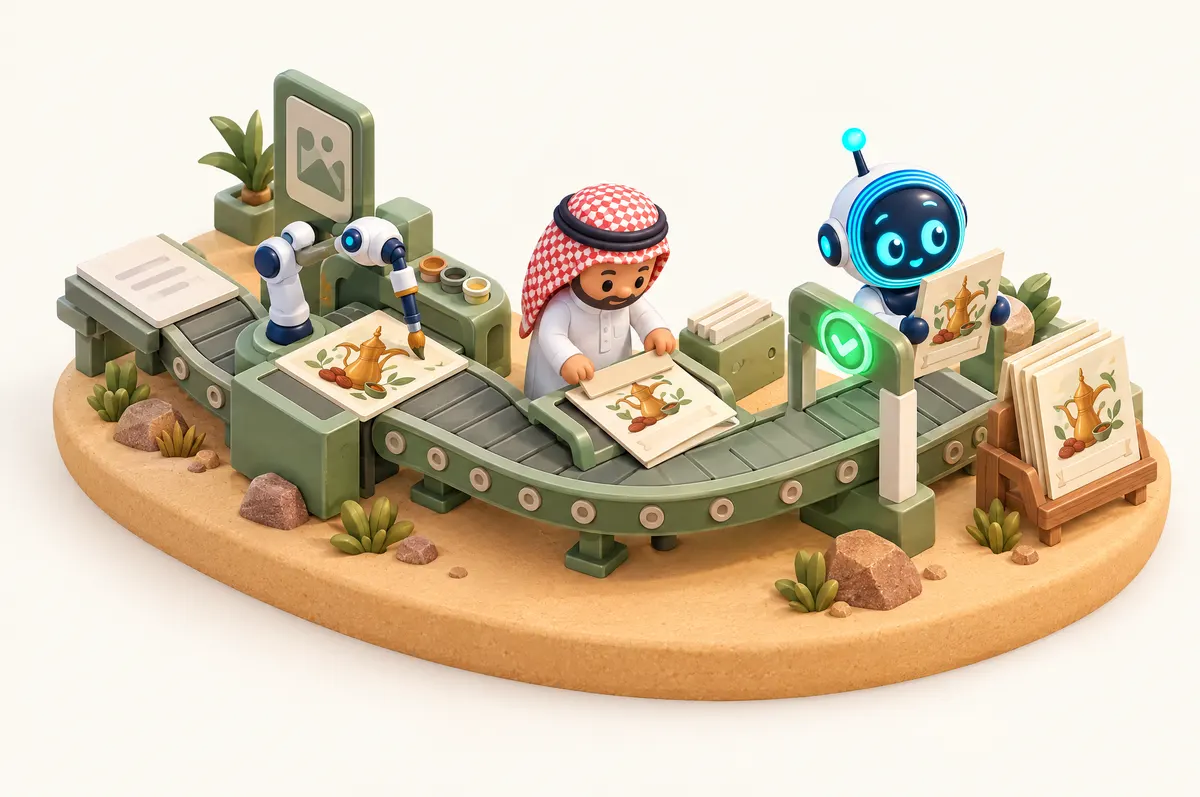
AI ad design works best as a pipeline, not a single prompt.
- Write the brief in one line: product, audience, offer, channel and size.
- Generate the visual with no text, two or three variants. Canva lists AI ad creation with Canva Grow among its Premium AI tools [2], and Firefly's own models are described by Adobe as safe for commercial use [10].
- Add text and brand elements in a design tool: Arabic headline, price, logo and contact details.
- Check claims and appearance. The product in the ad must look as it does in reality; SDAIA's Deepfakes Guidelines tell retailers not to present products in a way that misrepresents their appearance, functionality or quality [13].
- Check the people. A recognisable real person, a customer, an employee or a public figure, needs clear, documented consent, and synthetic media should be disclosed with labels or disclaimers, according to the marketing section of SDAIA's guidelines [13].
Using customers' photos or details in marketing also falls under the Personal Data Protection Law: personal data other than sensitive data may be processed for marketing only if it was collected directly from the person and they consented [14]. This is general information, not legal advice; for a specific campaign, check the official text or a licensed advisor.
Rights and usage terms: who owns an AI image?
Vendor terms answer the question between you and the vendor, not whether the image is free of anyone else's rights.
| Tool | Ownership in the vendor's terms | What the terms prohibit or warn |
|---|---|---|
| ChatGPT | You own the output; OpenAI assigns its rights to you [8] | Similar output may go to other users; do not present output as human-generated [8] |
| Canva AI | You own your output, except where it modifies Canva library content [11] | Outputs may not be unique; do not mislead people that AI content is human-made, or remove C2PA provenance metadata [11] |
| Adobe Firefly | Firefly model outputs described as safe for commercial use; enterprise customers may get IP indemnification for select outputs [10] | Content from partner models is your responsibility to assess [10] |
| Microsoft Designer | Licensed for personal, non-commercial use [5] | Not for business use under that licence [5] |
SDAIA's Generative AI guidelines for the public add two points: customers should do their own due diligence on whether a model was trained on protected content before using it, and generative AI services should obtain permission from the owner before generating content based on their intellectual property [15]. In practice, do not ask any tool for a competitor's logo, a famous character or "in the style of" a living artist for commercial work.
Labelling AI images
SDAIA's guidelines ask users of generative AI to make it clear when content was generated by AI and recommend watermarks to help others identify it [15]. Several tools add machine-readable labels automatically: OpenAI attaches Content Credentials and SynthID to ChatGPT images [12], Adobe attaches Content Credentials to Firefly outputs [10], and Microsoft attaches Content Credentials metadata to Designer images [5].
That metadata does not survive everything. OpenAI notes that Content Credentials can be lost through screenshots or file conversion [12], and Canva's terms prohibit removing provenance metadata on purpose [11]. For an ad or a post, a short visible note such as "AI-generated image" is the simplest way to stay transparent, and it is essential for any image that a viewer could mistake for a real photo of a real event.
A checklist before you publish an AI image
- Prompt and image saved together, with the tool and date.
- No text generated by the image model left in the final design.
- Arabic headline set in a proper font and checked by a native reader.
- No real person without consent; no public figure; no children.
- No logos, characters or trademarks you do not own.
- Product shown as it really is.
- Commercial use allowed under the tool's licence.
- Label added where a viewer could take the image as real.
For a company-wide rule on which AI tools staff may use and how, SDAIA's AI Adoption Framework is a useful starting point; our guide to the SDAIA AI Adoption Framework explains what a smaller company can borrow from it.
Your next step
Take one real brief this week, such as next month's offer post, and run it through two AI image tools using the same Arabic prompt structure above. Add the Arabic headline in a design tool, check every letter, and compare the time and the number of fixes. To turn the test into a two-week trial with a clear measure, see our guide on how AI can help your business. If you later need image generation built into your own app or store, you can read about O AI, a software and AI company in Al Khobar, on our home page.
Frequently asked questions
Which AI image tool understands Arabic prompts?
ChatGPT lists Arabic among its supported languages, Canva says Canva AI supports Arabic, and Adobe offers HUMAIN Image 1 inside Firefly and Adobe Express, a model built for Arabic prompts and Saudi cultural context. Google says Gemini spells text in images more accurately for all supported languages. Understanding the prompt is the easy part; check the Arabic letters inside the image, or add the text afterwards in a design tool.
Can ChatGPT write Arabic text correctly inside images?
Sometimes, but not reliably enough to publish without checking. OpenAI says ChatGPT Images can add text on request, but its help page does not say how well each script is handled, and image models often break Arabic letter joining or direction. The safer method is to generate the image with empty space, then add the Arabic headline in Canva, Adobe Express or another design tool, and have a native reader check it.
Can I use AI images in ads in Saudi Arabia?
Yes, if the tool's licence allows commercial use and the ad respects other rules. Microsoft Designer, for example, is licensed for personal, non-commercial use only. If a real person appears, SDAIA's Deepfakes Guidelines call for documented consent and clear disclosure of synthetic media, and the Personal Data Protection Law requires consent to use personal data in marketing. The product must also look as it really does.
Who owns an image made with AI?
Between you and the vendor, the terms of ChatGPT and Canva say you own the output, with exceptions such as Canva library content. Both also warn that other users may get similar images, so ownership does not guarantee exclusivity. Adobe describes outputs from its Firefly models as safe for commercial use. None of this clears a logo, a character or a person's likeness that belongs to someone else.
Is there a free AI image tool for Arabic designs?
Several have free tiers: ChatGPT and the Gemini app can create images on free accounts within limits, Adobe Firefly offers free daily generations, Canva Free includes a small monthly AI allowance, and Microsoft Designer is free for personal use. For business use, check the licence, and expect to pay once you produce images every week.
Can I make an AI image of a real person or a celebrity?
Not without their permission, and not for an ad. SDAIA's Deepfakes Guidelines say marketers need clear, documented consent from anyone whose likeness or voice is used, and should not use a person's likeness without permission. Google's and Canva's terms also forbid violating others' privacy or misleading people. Use generic, non-identifiable people, or real people who have agreed in writing to the specific use.
How this article was made: Researched from the sources listed below, opened on 14 October 2026. Drafted with AI assistance, then checked against those sources. General information, not professional advice. Images are AI-generated illustrations.
Sources
- How to change your language setting in ChatGPT (opens in a new tab)OpenAI Help Center · help.openai.com
- Canva pricing: Free, Pro, Business and Enterprise plans (prices shown in Saudi Arabia) (opens in a new tab)Canva · canva.com
- Adobe x HUMAIN: HUMAIN Image 1 in Adobe Firefly and Adobe Express (Saudi Arabia) (opens in a new tab)Adobe · adobe.com
- Generate and edit images with Gemini Apps (opens in a new tab)Google Gemini Apps Help · support.google.com
- Frequently asked questions about Microsoft Designer (opens in a new tab)Microsoft Support · support.microsoft.com
- Images in ChatGPT (opens in a new tab)OpenAI Help Center · help.openai.com
- ChatGPT plans and pricing (prices shown in Saudi Arabia) (opens in a new tab)OpenAI · chatgpt.com
- Terms of Use (effective 1 January 2026) (opens in a new tab)OpenAI · openai.com
- Google AI plans: Gemini subscriptions (Saudi Arabia prices) (opens in a new tab)Google · gemini.google
- Adobe Firefly plans (prices shown in Saudi Arabia) (opens in a new tab)Adobe · adobe.com
- AI Product Terms (effective 26 June 2026) (opens in a new tab)Canva · canva.com
- Provenance signals in OpenAI-generated content (opens in a new tab)OpenAI Help Center · help.openai.com
- Deepfakes Guidelines: Mitigating Risks While Fostering Innovation (2025) (opens in a new tab)Saudi Data and AI Authority (SDAIA) · sdaia.gov.sa
- Personal Data Protection Law, with amendments (in Arabic) (opens in a new tab)Bureau of Experts at the Council of Ministers · laws.boe.gov.sa
- Generative Artificial Intelligence Guidelines for Public (2025) (opens in a new tab)Saudi Data and AI Authority (SDAIA) · sdaia.gov.sa
About the author
Newsletter
New guides and news by email
New guides and news about O AI, Rushd and Dalni, at most twice a month. No spam.