 AI
AI

Business intelligence: a practical guide for Saudi companies
A practical business intelligence guide for Saudi companies: the five building blocks of a BI system, how to choose the first KPIs, Power BI and Data Studio prices and licensing, a worked cost example, data location and the PDPL, the role of Copilot, and a 90-day rollout plan.


Key takeaways
- Business intelligence turns recurring questions into shared, regularly refreshed dashboards with one definition per KPI and clear access rules.
- Every BI system has five blocks: data sources, integration, a data model such as a star schema, reports and dashboards, and governance and security.
- On 14 October 2026, Power BI Pro listed at USD 14 per user a month paid yearly; Data Studio, formerly Looker Studio, was free for creators and viewers.
- Microsoft's Fabric region list, updated on 1 October 2026, showed no Saudi region; Google lists BigQuery in Dammam (me-central2).
- In Power BI, row-level security applies only to Viewers, so give managers the Viewer role and keep editing rights to the people who build reports.
On this page
- What business intelligence is, and how it differs from one-off analysis
- The five building blocks of a business intelligence system
- Which KPIs belong on the first BI dashboard?
- Business intelligence tools compared: Power BI, Data Studio and the alternatives
- Illustrative example: BI for a building-materials retailer in the Eastern Province
- Data location, the PDPL and access control for BI in Saudi Arabia
- AI in business intelligence: what Copilot and natural-language questions need
- A 90-day business intelligence rollout plan
- Your next step
Business intelligence (BI) is the setup that turns a company's operational data into shared, regularly refreshed reports and dashboards, so managers decide from the same numbers. For a Saudi company it starts with a short list of KPIs, one trusted data model and clear access rules; the tool, such as Power BI or Data Studio, comes after.
This guide is for owners and managers who want reporting that no longer depends on someone rebuilding spreadsheets at month end. It covers the building blocks of a BI system, how to choose the first KPIs, the main tools and their prices as listed on 14 October 2026, a worked cost example, data location and the PDPL, the role of AI, and a 90-day rollout plan. O AI is not affiliated with Microsoft, Google or any other company named here.
What business intelligence is, and how it differs from one-off analysis
Saudi Arabia's National Data Management Office (NDMO) describes its business intelligence and analytics domain as analysing an organisation's data records to extract insight and draw conclusions [1]. Microsoft describes Power BI, one of the common BI platforms, as a business analytics platform for connecting, visualising and sharing data across an organisation [2]. The word that matters in both is organisation: business intelligence is analysis that has been made repeatable and shared.
A one-off analysis answers a question once. Business intelligence keeps the answers to recurring questions current for everyone who needs them, with one definition of each number and rules on who sees what. You probably need it when:
- the same monthly report is rebuilt by hand from several exports;
- two managers bring different sales figures to the same meeting;
- branch or regional managers wait days for numbers that already exist in your systems;
- decisions about stock, pricing or collections are made without current data because getting it is slow.
The five building blocks of a business intelligence system
Every BI setup, from a small company's single dashboard to a ministry's data platform, has the same five parts.
| Building block | What it does | Typical tools | Who owns it |
|---|---|---|---|
| 1. Data sources | Hold the transactions: sales, purchases, stock, receivables, customers, staff | Accounting or ERP system, point of sale, online store, CRM, HR system, spreadsheets | Each system's business owner |
| 2. Integration and preparation | Extracts, cleans and combines data on a schedule | Power Query, data pipelines, a data warehouse | Data engineer or BI developer |
| 3. Data model | Stores data as facts and dimensions with agreed calculations | Power BI semantic model, a warehouse schema | BI developer, with finance agreeing definitions |
| 4. Reports and dashboards | Show the KPIs, filters and drill-downs managers use | Power BI, Data Studio | BI developer or data analyst |
| 5. Governance and security | Sets owners, definitions, quality rules and access | Workspace roles, row-level security, a KPI register | A named manager, often in finance |
For the data model, Microsoft recommends a star schema. Dimension tables describe the things you analyse, such as products, customers, branches and dates, and are used for filtering and grouping; fact tables store the events, such as sales lines or stock balances, and are used for summarising [3]. When data volumes are large or you must keep history, Microsoft advises building a data warehouse with scheduled extract, transform and load (ETL) processes first, and connecting the BI model to it [3].
Integration is usually the hardest block. If your systems cannot export clean data on a schedule, our guide to custom software development in Saudi Arabia explains when connecting existing systems beats buying new ones.

Which KPIs belong on the first BI dashboard?
Start with five to ten KPIs that someone already acts on. A dashboard with forty charts is usually a sign that nobody chose.
Write a one-line card for each KPI before anyone builds anything:
- Name and definition in plain words.
- Formula, including what is excluded.
- Source system and field.
- Owner, the manager who answers for it.
- Refresh frequency and target.
The definition step prevents most BI arguments. In one of Microsoft's training scenarios, different reports disagreed because one counted returns in revenue and another did not; the fix was to define net revenue once, as gross sales minus returns and discounts, inside a certified model that every report uses [4].
| Area | Starter KPIs a Saudi SME can usually build from existing systems |
|---|---|
| Sales | Net revenue by branch and channel; gross margin %; average invoice value |
| Cash | Receivables overdue by age band; collections this month against invoices issued |
| Stock | Months of cover by product group; slow-moving stock value; stock-outs |
| Operations | Orders delivered on the promised date; returns as a share of sales |
| People | Overtime hours by department; open positions |
Add a data quality check to each KPI. NDMO's standards give an example of a quality rule that raises an alert when fewer than 90% of records have a field filled in [1]; a BI equivalent is a small tile showing how many sales lines arrived without a branch or product code.
Business intelligence tools compared: Power BI, Data Studio and the alternatives
No single tool is best for every company. The practical choice usually follows the office suite you already pay for, and the cost depends less on the tool than on how many people need to view reports.
| Option | Price listed on 14 October 2026 | Who can view shared reports | Fits |
|---|---|---|---|
| Power BI Desktop | Free download [5] | Reports stay on the author's computer until published | Building and testing reports |
| Power BI Pro | USD 14 per user a month, paid yearly, before tax [5] | Other Pro users, unless the content sits in Premium or Fabric F64 or larger capacity, where free users can view it [6] | Microsoft 365 companies with up to a few dozen report users |
| Power BI Premium Per User | USD 24 per user a month, paid yearly, before tax [5] | Only other PPU users, outside Premium capacity [6] | Small teams that need larger models and more frequent refreshes |
| Microsoft Fabric capacity | Variable, pay as you go or yearly reservation [5] | Free users can view content in F64 or larger capacity [6] | Larger organisations with many report viewers |
| Data Studio (formerly Looker Studio) | No charge for creators and viewers; Pro USD 9 per user per project a month [7] | Report viewers at no charge [7] | Google Workspace companies; more than 1,300 community connectors [7] |
Google renamed Looker Studio, and its documentation now says plainly that "Looker Studio is now called Data Studio" [8]. For companies that must keep reports on their own servers, Microsoft offers Power BI Report Server for on-premises reporting [2].
Other BI products exist, such as Tableau and Qlik. Compare them the same way: the cost per viewer, where data is processed, Arabic support in the interface and reports, and whether your team can maintain them.
Illustrative example: BI for a building-materials retailer in the Eastern Province
Illustrative example. A building-materials retailer has five branches in Dammam, Al Khobar, Jubail, Qatif and Al Ahsa, an accounting system and a point-of-sale system. Today, two accountants spend three working days each month compiling branch reports. The company wants one dashboard for 25 managers, built and maintained by two staff.
| Item | Calculation | Yearly figure |
|---|---|---|
| Current manual reporting time | 2 people × 3 days × 8 hours = 48 hours a month | 576 hours |
| Cost of that time at an assumed SAR 150 an hour | 48 × SAR 150 × 12 | SAR 86,400 |
| Power BI Pro for 27 users | 27 × USD 14 × 12 | USD 4,536 before tax |
| Data Studio Pro for 27 users, if the team needs Pro | 27 × USD 9 × 12 | USD 2,916 per project before tax |
| Time saved if checking replaces compiling (assumed 40 of 48 hours) | 40 × SAR 150 × 12 | SAR 72,000 |
Budget separately for the setup work: connecting the two systems, agreeing definitions and building the model. No licence price includes it, and it is where most of the value is created. The SAR 150 hourly rate and the 40 saved hours are assumptions for this example; use your own figures.
The choice between the two tools follows the suite the retailer already runs. On Microsoft 365, Power BI Pro is the natural route; on Google Workspace, Data Studio's no-cost tier may be enough to start.

Data location, the PDPL and access control for BI in Saudi Arabia
Where BI data is stored and processed matters once reports include personal data, such as customer names or employee records.
- Microsoft Fabric and Power BI regions. Microsoft's region list, updated on 1 October 2026, shows three Middle East regions: Qatar Central and UAE Central for Power BI only, and UAE North for all Fabric workloads. Saudi Arabia is not listed [9].
- Google BigQuery. Google lists Dammam (me-central2) among BigQuery's Middle East regions [10], so a company can keep its warehouse in the Kingdom and report on it with Data Studio, which connects to BigQuery [7]. Check separately where the reporting layer processes data.
- Copilot in Power BI. For tenants outside the US and EU data boundaries, Copilot is off by default unless an admin allows data to be processed outside the tenant's geographic region [11].
Saudi Arabia's Personal Data Protection Law (PDPL) limits personal data to the purpose it was collected for and to the minimum the purpose needs [12]. Under the Implementing Regulation, a written impact assessment is required when two or more sets of personal data from different sources are collected, compared or linked, which describes many BI models that join CRM, loyalty and sales data; anonymised data, from which a person cannot be re-identified, is no longer personal data [13]. The safest BI design shows aggregates by default and keeps names out of the model unless a report truly needs them.
Our guide to data residency in Saudi Arabia explains when personal data may be processed abroad. This section is general information; for a specific case, check SDAIA's guidance or ask a licensed advisor.
Access control: row-level security and workspace roles
In Power BI, row-level security filters the rows each user can see, for example one branch's data for one branch manager. It applies only to users with the Viewer role; workspace Admins, Members and Contributors see all the data [14]. Give managers the Viewer role and keep editing rights to the people who build the reports.
If your company is a public entity, or a business partner handling government data, NDMO's standards apply more directly. Their BI domain requires a BI plan, a prioritised portfolio of use cases, training, KPIs for the analytics portfolio, and a register of use cases [1].
AI in business intelligence: what Copilot and natural-language questions need
AI is now built into BI tools, but it depends on the model underneath.
- Copilot in Power BI answers questions about reports, summarises pages and helps authors build visuals and write DAX. It needs paid Fabric capacity of F2 or higher, or Power BI Premium P1 or higher; a Pro or Premium Per User licence alone is not enough [11].
- Preparation matters. Microsoft warns that without a prepared semantic model, Copilot can misinterpret the data and return generic or inaccurate results [11].
- Language. For its standalone and app-based Copilot experiences, Microsoft states that prompts in languages other than English are not officially supported yet [11], so test Arabic questions before you promise them to managers.
- Data Studio lets technical users build conversational agents on BigQuery data and share them with business users inside Data Studio [7].
The lesson for a Saudi SME is simple: clear KPI definitions and a clean star schema come first, because they are what any AI assistant reads.
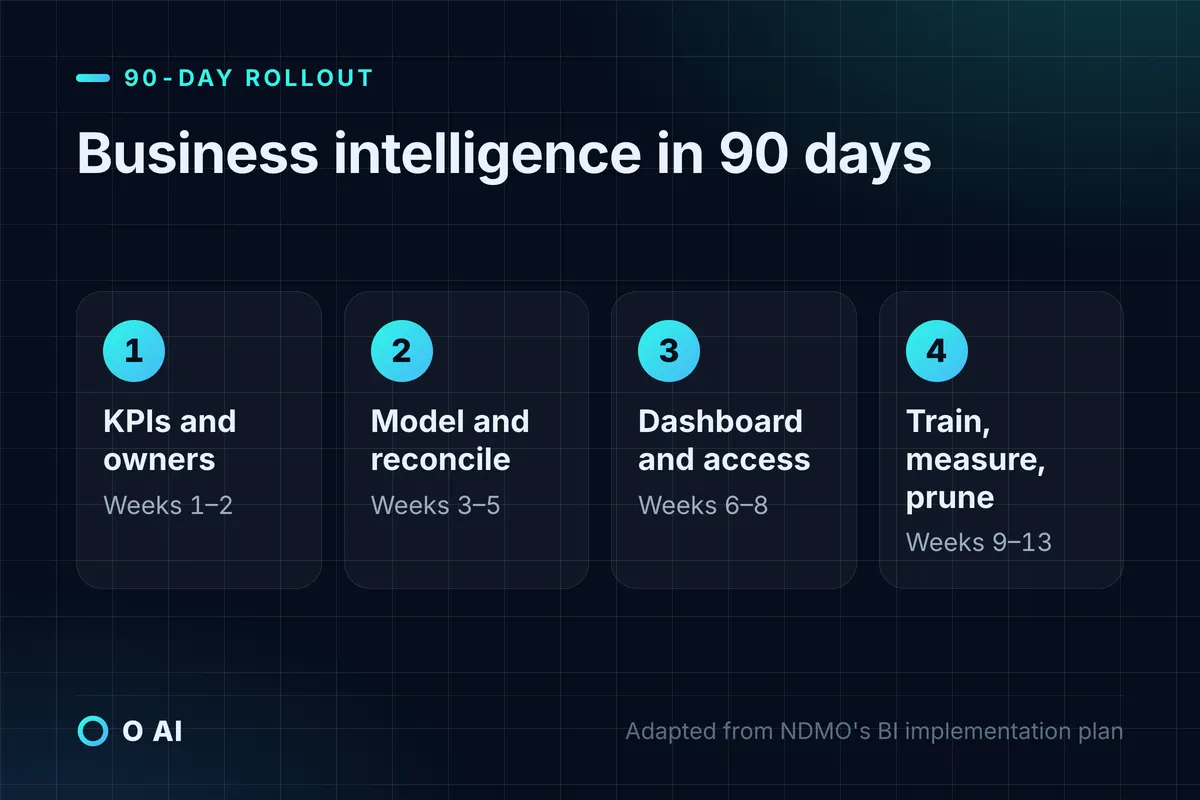
A 90-day business intelligence rollout plan
NDMO's standards list what a BI use-case implementation plan should cover, from requirements and high-level design to environments, development, testing, deployment schedule, resources and acceptance criteria [1]. Scaled down for a company of 50 to 500 staff, that becomes a 90-day plan.
| Weeks | Work | Output |
|---|---|---|
| 1–2 | Choose five to ten KPIs, write a card for each, name owners | Signed-off KPI cards |
| 3–5 | Connect sources, clean data, build the star-schema model, reconcile totals to the accounting system | A model whose totals match the books |
| 6–8 | Build the first dashboard, set up row-level security, test with three managers | A tested dashboard and access list |
| 9–10 | Train users, schedule refreshes, publish | Managers using the dashboard weekly |
| 11–13 | Measure use and decisions taken, retire unused pages, pick the next use case | A short review and the next priority |
Common business intelligence mistakes
- Buying licences before agreeing KPI definitions.
- Building one dashboard per request until nobody knows which is current.
- Skipping the reconciliation to the accounting system, so the first wrong number destroys trust.
- Giving every manager editing rights, which bypasses row-level security.
- Measuring the project by dashboards published instead of decisions changed.
Your next step
This week, list the five numbers your management meeting argues about most, and write a KPI card for each: definition, formula, source, owner and target. That list is the specification for your first business intelligence dashboard, whatever tool you choose. Then check which tool your current Microsoft 365 or Google Workspace subscription makes easiest, and where its data will be processed. You can read about O AI, a software and AI company in Al Khobar, on our home page.
Frequently asked questions
What is business intelligence in simple terms?
Business intelligence is the system that turns your company's records, such as sales, stock, receivables and staff data, into reports and dashboards that refresh automatically and that everyone reads from the same source. It combines connections to your systems, a data model with agreed definitions, the dashboards themselves and rules on who sees what. Its purpose is that managers spend meetings deciding, not arguing about whose numbers are right.
What is the difference between business intelligence and data analysis?
Data analysis answers a specific question, often once, such as why a branch's margin fell last quarter. Business intelligence takes the questions that come back every week and builds a maintained system to answer them automatically for many people. Analysts often use BI dashboards as their starting point, then dig deeper with spreadsheets or code when something looks wrong. Most companies need both, but in that order: reliable recurring reporting first, deeper analysis on top.
Which business intelligence tool is best for a small Saudi company?
No tool is best for every company. Choose by the suite you already pay for and by how many people will view reports. Microsoft 365 companies usually start with Power BI Desktop, which is free, and Pro licences for those who share and view reports. Google Workspace companies can start with Data Studio, which has a no-cost tier. Compare the cost per viewer, Arabic support, where data is processed and whether your team can maintain the reports.
How much does a BI system cost?
Licences are only part of it. On 14 October 2026, Power BI Pro listed at USD 14 per user a month paid yearly and Data Studio had a no-cost tier, with Pro at USD 9 per user per project a month. The other cost is the setup: connecting systems, cleaning data, agreeing KPI definitions and building the model. Estimate that work separately, and compare the total with the staff time your current manual reporting consumes.
Can a BI dashboard show customer or employee personal data?
It can, within Saudi Arabia's Personal Data Protection Law. Show personal data only when the purpose needs it, keep to the minimum fields, and restrict access with roles and row-level security. Linking personal datasets from different sources requires a written impact assessment under the law's Implementing Regulation. Most management dashboards work well with aggregates, which avoids most of the risk. For a specific case, check SDAIA's guidance or ask a licensed advisor.
Does Power BI store data inside Saudi Arabia?
As of Microsoft's region list updated on 1 October 2026, Saudi Arabia was not among the regions for Power BI and Fabric; the nearest listed were in Qatar and the UAE. Companies that need data kept in the Kingdom can store their warehouse in a Saudi cloud region, such as Google BigQuery's Dammam region, or keep reports on their own servers with Power BI Report Server. Check the current lists before you decide.
How long does it take to set up business intelligence?
For a company with a handful of systems and five to ten agreed KPIs, a first dashboard can be live in about 90 days: two weeks for KPI definitions, about three weeks for connecting and modelling the data, three weeks for building and testing, then training and a review. Projects take longer when source systems cannot export clean data, or when managers have not agreed what each number means.
How this article was made: Researched from the sources listed below, opened on 14 October 2026. Drafted with AI assistance, then checked against those sources. General information, not professional advice. Images are AI-generated illustrations.
Sources
- Data Management and Personal Data Protection Standards, version 1.5 (opens in a new tab)National Data Management Office, SDAIA · sdaia.gov.sa
- What is Power BI? (opens in a new tab)Microsoft Learn · learn.microsoft.com
- Understand star schema and the importance for Power BI (opens in a new tab)Microsoft Learn · learn.microsoft.com
- Roles in data analytics (opens in a new tab)Microsoft Learn · learn.microsoft.com
- Power BI pricing (Saudi Arabia market) (opens in a new tab)Microsoft · microsoft.com
- Power BI service features by license type (opens in a new tab)Microsoft Learn · learn.microsoft.com
- Data Studio: features and pricing (opens in a new tab)Google Cloud · cloud.google.com
- Data Studio (opens in a new tab)Google Cloud documentation · docs.cloud.google.com
- Fabric region availability (opens in a new tab)Microsoft Learn · learn.microsoft.com
- BigQuery locations (opens in a new tab)Google Cloud documentation · docs.cloud.google.com
- Copilot for Power BI overview (opens in a new tab)Microsoft Learn · learn.microsoft.com
- Personal Data Protection Law, with amendments (in Arabic) (opens in a new tab)Bureau of Experts at the Council of Ministers · laws.boe.gov.sa
- Implementing Regulation of the Personal Data Protection Law (opens in a new tab)SDAIA · sdaia.gov.sa
- Row-level security (RLS) with Power BI (opens in a new tab)Microsoft Learn · learn.microsoft.com
About the author
Newsletter
New guides and news by email
New guides and news about O AI, Rushd and Dalni, at most twice a month. No spam.