 AI
AI

15% VAT calculator: adding and removing VAT, with examples
How to add 15% VAT to a net price, remove it from a VAT-inclusive total and extract the VAT with 15/115, with worked SAR tables, ZATCA's halala rounding rules, spreadsheet formulas and the mistakes that distort invoices in Saudi Arabia.


Key takeaways
- To add 15% VAT, multiply the net price by 1.15; to remove it, divide the VAT-inclusive price by 1.15. The VAT inside a total equals the total × 15/115.
- ZATCA's own examples: SAR 200 including VAT holds SAR 26.09 of VAT, SAR 3,899 holds SAR 508.57, and SAR 1,345,000 net carries SAR 201,750.
- VAT is calculated after discounts and rounded to the nearest halala, and the rounded figures on invoices must match those in the VAT return.
- E-invoices round half-up and total each VAT category at document level, which can differ by a halala from adding rounded line amounts.
- Multiplying a VAT-inclusive price by 0.85 is wrong: on SAR 1,150 it gives a net of SAR 977.50 instead of SAR 1,000.
On this page
- The formulas behind a 15% VAT calculator
- Adding VAT to a net price: worked table
- How do you remove 15% VAT from a total?
- Calculating VAT at 15% on a mixed invoice
- VAT rounding rules: halalas, line totals and the one-halala drift
- A 15% VAT calculator in your spreadsheet
- Common mistakes when you calculate VAT at 15%
- What a VAT calculator cannot tell you
- Your next step
To add 15% VAT in Saudi Arabia, multiply the net price by 1.15. To remove it from a VAT-inclusive price, divide by 1.15; the VAT inside that price is the total × 15/115. This 15% VAT calculator guide gives the formulas, worked tables, ZATCA's rounding rules and the mistakes that cost halalas.
Saudi Arabia introduced VAT at the start of 2018 at a basic rate of 5%. The Ministry of Finance announced on 11 May 2020 that the rate would rise to 15%, and it has applied to standard-rated supplies made from 1 July 2020 [1]. A blog page cannot run an interactive calculator, so this guide gives you the arithmetic in a form you can check by hand or paste into a spreadsheet. It is general information, not tax advice.
The formulas behind a 15% VAT calculator
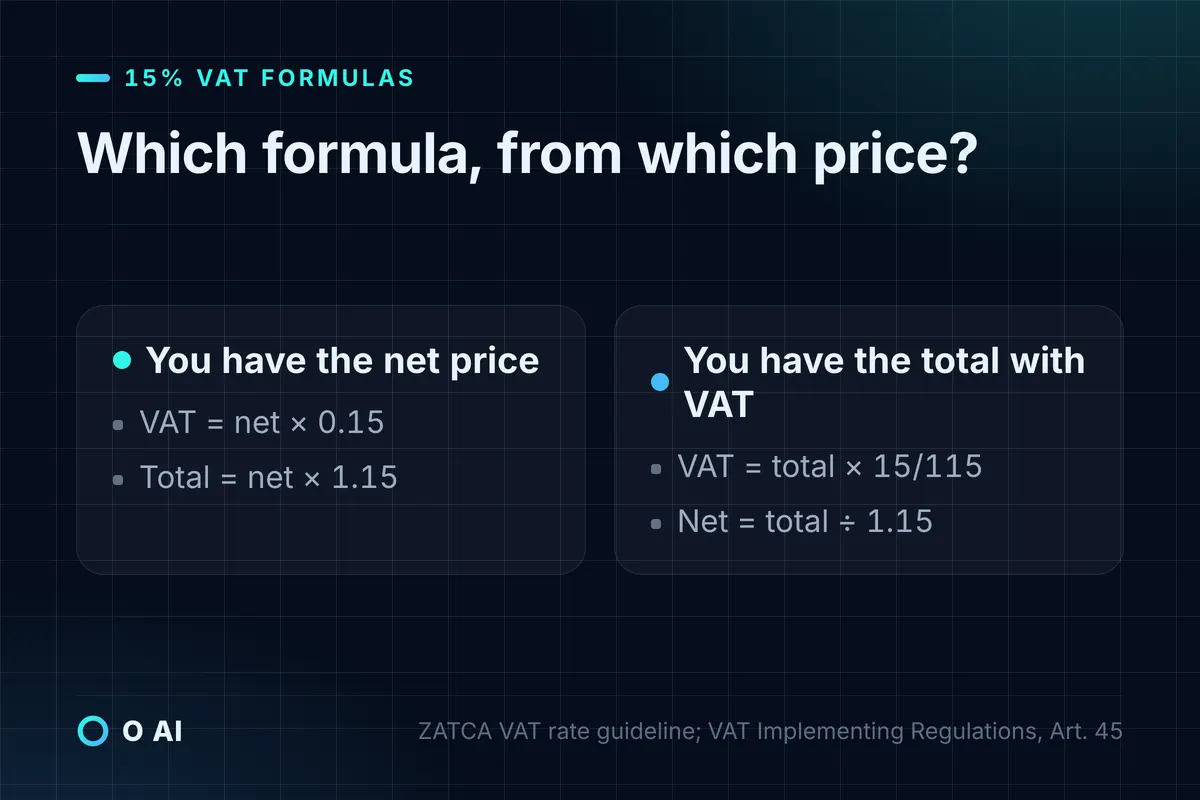
Every VAT calculator, from a shop's point-of-sale system to an accounting package, runs the same four formulas. ZATCA's guideline on the rate change gives the first and third directly: tax equals the value excluding VAT × 15%, or the VAT-inclusive amount × 15/115 [1]. The VAT Implementing Regulations state the general form in Article 45(2): tax = consideration × tax rate ÷ (100% + tax rate) [2].
| You have | You want | Formula | Check with SAR 1,150 or SAR 1,000 |
|---|---|---|---|
| Net price (before VAT) | VAT amount | Net × 0.15 | 1,000 × 0.15 = 150 |
| Net price | Price including VAT | Net × 1.15 | 1,000 × 1.15 = 1,150 |
| Price including VAT | VAT inside it | Total × 15 ÷ 115 | 1,150 × 15 ÷ 115 = 150 |
| Price including VAT | Net price | Total ÷ 1.15 | 1,150 ÷ 1.15 = 1,000 |
ZATCA notes that the fraction 3/23 is identical to 15/115 and can be used instead [1]. For mental arithmetic, the VAT inside a total is a little over 13% of it (3 ÷ 23 ≈ 0.1304), and the net price is about 87% of the total. Use these shortcuts only to sanity-check a figure; let the formula, not the approximation, produce the invoice amount.
Adding VAT to a net price: worked table
Use this when you quote a price before VAT, as most business-to-business quotations do. Multiply the net amount by 0.15, round the VAT to the nearest halala, and add it to the net amount.
| Net price (SAR) | VAT at 15% (SAR) | Total including VAT (SAR) |
|---|---|---|
| 1.00 | 0.15 | 1.15 |
| 9.99 | 1.50 | 11.49 |
| 49.50 | 7.43 | 56.93 |
| 250.00 | 37.50 | 287.50 |
| 999.00 | 149.85 | 1,148.85 |
| 4,250.00 | 637.50 | 4,887.50 |
| 10,000.00 | 1,500.00 | 11,500.00 |
| 1,345,000.00 | 201,750.00 | 1,546,750.00 |
The last row is ZATCA's own example: a machinery supplier quoted SAR 1,345,000 excluding VAT and invoiced SAR 201,750 of VAT, for a total of SAR 1,546,750 [1].
Discounts come off before the VAT
VAT is calculated on the actual value of the supply after discounts, and the invoice should show the discount, the value after discount, the tax and the total [3].
Illustrative example. A trading company in Dammam quotes SAR 1,000 for a consignment and agrees a 10% discount. VAT is due on SAR 900, so the VAT is SAR 135 and the customer pays SAR 1,035. Calculating VAT on SAR 1,000 first and deducting the discount afterwards would overstate the tax by SAR 15.
How do you remove 15% VAT from a total?
Use this when a price already includes VAT, as shelf prices and menus shown to consumers in Saudi Arabia must (see the mistakes section below). Calculate the VAT inside the total with 15/115, round it to the nearest halala, then subtract it from the total to get the net. Working in that order means net and VAT always add back to the exact price the customer paid.
| Price including VAT (SAR) | Net price (SAR) | VAT inside (SAR) | Source of the example |
|---|---|---|---|
| 11.50 | 10.00 | 1.50 | Illustrative |
| 103.50 | 90.00 | 13.50 | ZATCA retail example [3] |
| 200.00 | 173.91 | 26.09 | ZATCA car-repair example [1] |
| 1,000.00 | 869.57 | 130.43 | Illustrative |
| 1,150.00 | 1,000.00 | 150.00 | Illustrative |
| 1,255.00 | 1,091.30 | 163.70 | ZATCA wholesale example [3] |
| 3,899.00 | 3,390.43 | 508.57 | ZATCA television example [1] |
| 15,000.00 | 13,043.48 | 1,956.52 | Illustrative |
In ZATCA's car-repair example, the customer agreed a fixed SAR 200 including VAT. The workshop computed 200 × 15/115 = SAR 26.09, reported that as output tax and issued an invoice showing SAR 173.91 for the service and SAR 26.09 of VAT [1]. In the television example, a retailer chose a shelf price of SAR 3,899 including VAT, so its revenue on each set was SAR 3,390.43 and the VAT SAR 508.57 [1].

Calculating VAT at 15% on a mixed invoice
An invoice can mix standard-rated, zero-rated and exempt lines. Zero-rated supplies are taxable at 0%: ZATCA lists exports of goods and services, international transport, qualifying medicines and medical equipment, and investment metals among them [1]. Exempt supplies carry no VAT at all; ZATCA gives exempt financial services and exempt real estate supplies as examples [3], and real estate sales have been exempt since 4 October 2020 [1].
ZATCA's e-invoicing guideline describes a bank that charges a SAR 6,250 commission at 15% and a SAR 50,000 profit element that is exempt; if it issues one invoice for both, that invoice must meet tax invoice requirements [5]. The commission carries SAR 937.50 of VAT; the exempt line carries none.
Illustrative example. A medical supplies distributor in Riyadh issues one tax invoice to a clinic:
| Line | Net (SAR) | VAT treatment | VAT (SAR) | Total (SAR) |
|---|---|---|---|---|
| Office furniture | 4,000.00 | Standard rate, 15% | 600.00 | 4,600.00 |
| Qualifying medical equipment | 2,500.00 | Zero rate, 0% | 0.00 | 2,500.00 |
| Delivery and installation | 300.00 | Standard rate, 15% | 45.00 | 345.00 |
| Invoice total | 6,800.00 | 645.00 | 7,445.00 |
Two rules apply here. When every line is at 15%, VAT may be calculated on the invoice total; when lines carry different rates, it is calculated separately for each [3]. And where tax is not charged at the basic rate, the tax invoice must include a narration explaining the treatment applied [2]. Whether a particular item really qualifies for the zero rate is a legal question, not an arithmetic one; check ZATCA's guidance for your sector before you code it into your system.
VAT rounding rules: halalas, line totals and the one-halala drift
ZATCA's tax invoicing guideline, updated in May 2026, sets the basic rule. The VAT amount is shown in Saudi riyals and halalas; the unit price may be shown unrounded, but where the VAT or the taxable amount includes fractions of a halala, the VAT is rounded to the nearest halala. The rounded figures on the invoice must be the same ones used in the VAT return [3].
For e-invoices, ZATCA's XML Implementation Standard adds three rules: round half-up (a third decimal of 5 or more rounds up), round final results rather than intermediate ones, and round the VAT total for each category at document level rather than adding up rounded line amounts [4]. That last rule explains why two calculators can disagree by a halala.
Illustrative example. An invoice has three lines of SAR 10.10 each, all at 15%:
| Method | Calculation | VAT (SAR) |
|---|---|---|
| Round each line, then add | 1.515 → 1.52, three times | 4.56 |
| Add the lines, then round once | 30.30 × 0.15 = 4.545 → 4.55 | 4.55 |
The document-level figure, SAR 4.55, follows the XML standard's rule [4]. Small differences of this kind are why an accountant's spreadsheet and an invoicing system can show different VAT on the same basket.
A second drift appears when a system stores a rounded net price and recalculates the total. A shelf price of SAR 59.99 including VAT gives a net of SAR 52.17. Add 15% back to SAR 52.17 and you get SAR 7.83 of VAT, for a total of SAR 60.00, one halala more than the advertised price. The fix: when your prices are VAT-inclusive, keep the inclusive price as the master figure and extract the VAT from it with 15/115, as ZATCA requires for retail sales [1].
A 15% VAT calculator in your spreadsheet
You can rebuild the calculator in Excel or Google Sheets in a minute. Put the amount in column A and use these formulas in row 2; ROUND keeps every figure to the halala.
| Purpose | Column B: VAT | Column C: result |
|---|---|---|
| Add VAT to a net price in A2 | =ROUND(A2*0.15,2) | =A2+B2 (total including VAT) |
| Remove VAT from a VAT-inclusive price in A2 | =ROUND(A2*15/115,2) | =A2-B2 (net price) |
Test the sheet against ZATCA's published figures before you rely on it: SAR 200 including VAT must give SAR 26.09 of VAT, and SAR 3,899 must give SAR 508.57 [1]. Then run the three-line SAR 10.10 example to see whether your invoicing software rounds by line or by document.
Common mistakes when you calculate VAT at 15%
Most VAT arithmetic errors fall into a handful of patterns, and each one is visible in an invoice review.
1. Taking 15% off the total. Multiplying a VAT-inclusive price by 0.85 does not remove VAT; it removes too much. The VAT is 15% of the net price, not of the total.
| Price including VAT (SAR) | Correct net (÷ 1.15) | Wrong net (× 0.85) | Error (SAR) |
|---|---|---|---|
| 200.00 | 173.91 | 170.00 | 3.91 |
| 1,150.00 | 1,000.00 | 977.50 | 22.50 |
| 15,000.00 | 13,043.48 | 12,750.00 | 293.48 |
2. Adding VAT when you are not registered. Only a VAT-registered person may issue a tax invoice; anyone not registered who issues a document intended as a tax invoice, or collects an amount as VAT, faces a fine of up to SAR 100,000 [3][6]. Registration is mandatory once taxable supplies over 12 months exceed SAR 375,000, and voluntary registration is possible above SAR 187,500 [3].
3. Displaying prices before VAT to consumers. Retail prices shown on goods in shops must include VAT; ZATCA's guideline cites the GCC VAT Agreement's rule that the price displayed in the local market must include the tax [1]. ZATCA's VAT page likewise says a simplified invoice must be issued in Arabic and show the total price including VAT [7].

4. Calculating VAT before the discount. As above, the tax follows the value after discounts [3].
5. Showing the VAT only in a foreign currency. An invoice may be priced in dollars or euros, but the VAT amount must be stated in Saudi riyals, converted at the Saudi Central Bank's daily rate for the date the tax becomes due [3].
6. Applying 15% to zero-rated or exempt lines, or forgetting the narration that explains a non-standard treatment [2].
7. Rounding at every step. Round the VAT once per invoice category, not each intermediate figure, and keep the inclusive price as master for retail [4].
8. Using the old 5% on a current contract. The transitional exception that let some contracts signed before 11 May 2020 stay at 5% ended, at the latest, on 30 June 2021 [1]. Standard-rated supplies made today are at 15%.
What a VAT calculator cannot tell you
A calculator does arithmetic. It cannot tell you whether a supply is standard-rated, zero-rated, exempt or outside the scope of VAT, when the tax became due, or whether you must register. Those answers come from the VAT Law, its Implementing Regulations and ZATCA's guidelines. ZATCA's invoicing guideline also lists its contact number, 19993, and explains how to request a formal interpretative ruling for a specific transaction [3]. For your own case, check with ZATCA or a licensed tax advisor.
If you read VAT figures off scanned supplier invoices before entering them, errors creep in at the reading stage too; our guide to Arabic OCR for scanned PDFs covers how to check extracted numbers before they reach your books.
Your next step
Open a spreadsheet today and build the four formulas from this 15% VAT calculator guide, with ROUND to two decimals. Test them against ZATCA's figures (SAR 200 → SAR 26.09; SAR 3,899 → SAR 508.57), then put the same baskets through your point-of-sale or invoicing system and compare. If the figures differ by more than a halala, ask your provider how it rounds. If your business needs VAT logic built into its own systems, our guide to custom software development in Saudi Arabia explains when to buy and when to build; you can read about O AI, a software and AI company in Al Khobar, on our home page.
Frequently asked questions
How do I calculate 15% VAT on a price?
Multiply the price before VAT by 0.15 to get the VAT, then add it to the price, or multiply by 1.15 in one step. A net price of SAR 400 carries SAR 60 of VAT, for a total of SAR 460. Round the VAT to the nearest halala. If the price has a discount, apply the discount first and calculate VAT on the reduced amount, because VAT in Saudi Arabia follows the actual value of the supply after discounts.
How do I remove 15% VAT from a total that includes it?
Divide the total by 1.15 to get the net price, or calculate the VAT inside it as total × 15/115 and subtract. For SAR 230 including VAT, the VAT is SAR 30 and the net is SAR 200. Do not multiply the total by 0.85: that treats VAT as 15% of the total rather than of the net, and understates the net price, by SAR 22.50 on a SAR 1,150 total.
Why does ZATCA use the fraction 15/115?
Because a VAT-inclusive price is made of 100 parts net and 15 parts tax, 115 parts in all. The tax is therefore 15 of those 115 parts. ZATCA's guidance uses 15/115 for prices that include VAT and notes that 3/23 gives the same result, and the VAT Implementing Regulations express it as consideration × rate ÷ (100% + rate).
Is VAT calculated before or after a discount?
After. ZATCA's tax invoicing guideline says VAT is calculated on the actual value of the supply after discounts or reductions, and the invoice should show the discount, the value after the discount, the VAT and the total including VAT. On a SAR 1,000 item with a 10% discount, VAT is SAR 135 on SAR 900, not SAR 150.
How should VAT be rounded on Saudi invoices?
Round the VAT amount to the nearest halala, and use the same rounded figures in your VAT return. For e-invoices, ZATCA's XML standard rounds half-up, rounds final results rather than intermediate steps, and calculates each category's VAT total at document level. That can differ by a halala from adding rounded line amounts, so test how your invoicing software does it.
Do prices shown to customers in Saudi Arabia have to include VAT?
Yes. ZATCA's guidance requires retail prices displayed on goods in shops to include VAT, citing the GCC VAT Agreement, and its examples apply the same to menus and price boards. A simplified tax invoice must show either the VAT amount or a clear statement that the total includes VAT at 15%. Business-to-business quotations can still be agreed exclusive of VAT, with the tax added on the invoice.
Can a business that is not VAT-registered add 15% to its prices?
No. Only VAT-registered persons may issue tax invoices or collect VAT. ZATCA's guidance says a person who is not registered but issues a document meant to be a tax invoice, or collects an amount as VAT, faces a fine of up to SAR 100,000. Registration becomes mandatory when taxable supplies over 12 months exceed SAR 375,000; voluntary registration is possible above SAR 187,500.
How this article was made: Researched from the sources listed below, opened on 14 October 2026. Drafted with AI assistance, then checked against those sources. General information, not professional advice. Images are AI-generated illustrations.
Sources
- Guideline on the amendment of the basic VAT rate to 15% (in Arabic) (opens in a new tab)Zakat, Tax and Customs Authority (ZATCA) · zatca.gov.sa
- Implementing Regulations of the Value Added Tax Law, eighth edition (unofficial English translation) (opens in a new tab)ZATCA · zatca.gov.sa
- Guideline for Tax Invoicing and Records under VAT Provisions, Version 3, May 2026 (opens in a new tab)ZATCA · zatca.gov.sa
- Electronic Invoice XML Implementation Standard, version 1.2 (opens in a new tab)ZATCA · zatca.gov.sa
- Detailed Guidelines for E-Invoicing, Version 2, May 2023 (opens in a new tab)ZATCA · zatca.gov.sa
- VAT penalties (opens in a new tab)ZATCA · zatca.gov.sa
- VAT: Value Added Tax (opens in a new tab)ZATCA · zatca.gov.sa
About the author
Newsletter
New guides and news by email
New guides and news about O AI, Rushd and Dalni, at most twice a month. No spam.