 AI
AIArabic OCR: why scanned Arabic PDFs come out wrong, and a workflow you can trust
Scanned Arabic PDFs become data you can trust when you sort them first, scan them well, extract fields rather than a Word file, have a person check them and keep the original.


Key takeaways
- No tool can promise error-free Arabic OCR: errors cluster in numbers, dates, names, tables and stretched words, so keep a person checking.
- In a 2025 benchmark, AI models beat traditional OCR on character errors, but the best scored about 65% on whole, deliberately hard PDFs with tables.
- Sort first: a clean text layer, e-invoice XML or a system export beats a scan, and if copied Arabic breaks, try a second extractor before OCR.
- Scan at 300 ppi or more, straight, in colour or greyscale; extract fields with format and cross-check rules, and measure the error rate on 50 real documents.
- Keep the original scan linked to each record, and don't copy official ID documents unless an authority asks or a law requires it (PDPL Implementing Regulation Art. 31).
On this page
- Why Arabic is harder for OCR, and why "PDF to Word" breaks
- What a 2025 Arabic OCR benchmark found
- Step 1: does this document need OCR at all? Sort before you scan
- Step 2: improve the input before you blame the software
- Step 3: use document processing AI to extract fields, not just a Word file
- Step 4: a human check for names, numbers, dates and amounts
- Step 5: keep the original beside the extracted data
- Start with one document type and measure the error rate
- Your next step
Arabic OCR (optical character recognition, turning a picture of text into editable text) can save a lot of typing on scanned Arabic PDFs, but its output needs checking. The errors cluster in numbers, dates, names, tables and stretched words, where mistakes cost money. So be wary of any tool promising an error-free conversion of a scanned Arabic PDF to Word.
The five-step workflow below catches those errors before they reach your systems, whether your Arabic paperwork lands in Riyadh, Dubai or a London office.
Why Arabic is harder for OCR, and why "PDF to Word" breaks
What the script does to OCR
Arabic letters join and change shape by position in the word, and short-vowel marks (diacritics) are often left out in everyday writing [1]. Text runs right to left [2], while numbers and English codes inside it run left to right. Several letters differ only in their dots (ب ت ث), so a faded dot can change a name.
The authors of KITAB-Bench, a 2025 Arabic OCR benchmark, add complex fonts, numeral errors, word elongation (kashida, the stretched stroke that fills out a justified line) and table structure [2].
Scan, text layer or extractor: why a PDF comes out broken
If extracted Arabic comes out as nonsense, check which kind of PDF you have. A scanned PDF is a picture: nothing can be copied until OCR reads it.
A digital PDF has a text layer, but some files store Arabic as display shapes, or in display order, instead of standard characters in reading order. The page looks right but breaks when copied, searched or converted. The Unicode Consortium, which maintains the encoding standard, advises against storing display shapes (presentation forms), because that "does not guarantee data integrity and interoperability" [3]; they "are encoded for compatibility only" [4].
A sound text layer can still come out wrong, because the extractor rebuilds the letter order. In a check for this article on 29 September 2026, the Arabic e-invoicing guideline from ZATCA (Saudi Arabia's Zakat, Tax and Customs Authority) went through three common open-source extractors [5].
The first reversed every lam-alef pair: «خلال» ("during") became «خالل» all 36 times, and not one stand-alone «لا» ("no", "not") survived. The guideline's rule on scanned invoices, «ولا تعتبر…» ("nor is … considered"), came out as «وال تعتبر…», its negation gone. The second extractor read the file correctly; the third reversed whole lines. On screen, the file looks fine.
A quick test: search the output for «لا». If a word that common is missing, try another extractor before blaming the file or reaching for OCR.
| What you see | Likely cause | First fix |
|---|---|---|
| Broken letters or odd symbols when pasted | Display shapes in the text layer | Convert to standard Arabic letters, or OCR the page image |
| Words or letter pairs reversed, such as «خالل» for «خلال» | Extractor error, or text stored in display order | Try a second extractor, then OCR the page image |
| Numbers out of order in a sentence | Mixed-direction text | Check numbers against the image |
| Table columns shifted or merged | Layout detection failed | Extract to fields and re-add totals (Step 3) |
What a 2025 Arabic OCR benchmark found
KITAB-Bench was built by researchers at Mohamed bin Zayed University of Artificial Intelligence (MBZUAI) in Abu Dhabi with partners, and published in Findings of ACL 2025, a peer-reviewed computational linguistics venue [2]. Its 8,809 samples span 9 domains, including handwriting, tables and charts.
It tested early-2025 models, and a later paper found errors in its PDF test's reference text [6], so treat the scores below as a guide.
Newer AI models against traditional OCR tools
Vision-language models, AI that reads the image and the language together, outperformed traditional OCR tools "by an average of 60% in Character Error Rate (CER)" [2]. CER counts characters wrong, missing or extra against the correct text; lower is better. That 60% is a gap in error rates, not an accuracy score. And no single model led across fonts, diacritics, elongation and tilted text [2].
Where the best model still fell short
The authors single out converting whole PDFs, tables included, as a weak spot: the best model reached only about 65% [2]. That is a combined score for text and table structure, not "65% of words right", measured on 33 PDFs chosen to be hard, with colourful tables, merged cells, watermarks and handwritten notes.
That is why Step 3 extracts fields instead. Tilted text was another weak spot: modern models "struggle with orientation variations" [2], so Step 2 fixes it at the scanner.
What it didn't test: your documents
The benchmark "lacks coverage of … institutional scans such as historical, governmental, and financial records", its authors write, and models "often fail to generalize across domains and layouts" [2]. Invoices and government letters are exactly those documents, and business contracts are close kin. Test on your own files.
Tool pages promise "95%", "99%" or "100%" accuracy on Arabic. Ask five questions first:
| Question | Why it matters |
|---|---|
| 1. Accuracy of what: characters, words, fields or documents? | At 99% character accuracy, a 2,000-character page still has about 20 errors |
| 2. On which documents: digital text, scans, photos, handwriting? | Clean digital text is the easy case |
| 3. Whose documents: the vendor's or yours? | Models often fail to generalise across layouts [2] |
| 4. Does it cover numbers, dates and tables? | That is where errors cost money |
| 5. Are low-confidence results flagged for a person? | A silent pass-through hides the error |
For more supplier questions, see ten questions to ask before you sign with a software company.
Step 1: does this document need OCR at all? Sort before you scan
Some documents never need OCR. Sort by type first:
| Document you have | Best route | Why |
|---|---|---|
| Digital PDF whose Arabic copies correctly | Extract the text, then normalise it | OCR would only add errors |
| Digital PDF whose Arabic breaks when copied | Try a second extractor, then OCR the page image | Text layer or extractor fault |
| B2B tax invoice from a Saudi supplier in ZATCA's Phase 2 | Ask for the XML, or PDF/A-3 with embedded XML | ZATCA requires these formats for buyers [7] |
| Reports from your systems, bank or portals | Ask for the CSV or Excel export | A printout only adds errors |
| Scanned or photographed print | Steps 2 to 5 | What OCR is for |
| Handwriting or damaged old files | Treat output as a suggestion; check every field | At low volumes, typing may be quicker |
Phase 2 is the integration phase, when a supplier's invoicing system must connect to ZATCA's FATOORA platform [7]. ZATCA also states that a paper invoice converted by "copying, scanning, or any other method is not considered an electronic invoice" [7], so ask for the structured data. For rare documents read once, a person costs less than any extraction set-up.
Step 2: improve the input before you blame the software
Scan quality is the part you control. This checklist borrows from US National Archives rules for digitising permanent federal records, a reference point rather than a Saudi requirement [8].
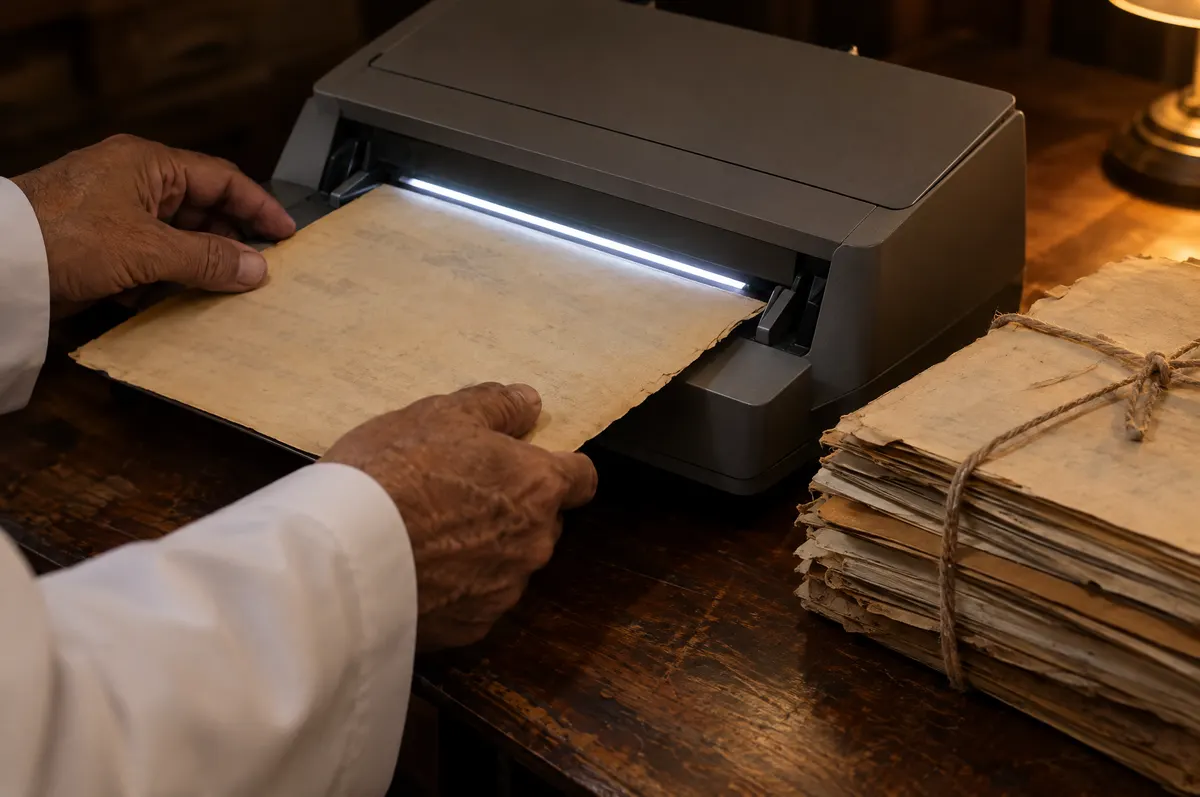
- 300 ppi (dpi) or more, "sized to the source document": the rules' minimum [8].
- Colour or greyscale, as the same rules specify for modern paper records [8]; pure black-and-white can drop faint stamps, signatures or dots.
- Straight pages, dark borders cropped: tilted text was a benchmark weak spot [2].
- One document per file, all pages in order.
- Phone photos: page flat, even light, no shadow, whole page in frame. Retake blurred ones.
- The best original you have. Each copy of a copy blurs the dots further.
- Check the output as well as the settings. Open five files a week at 100% zoom.
Step 3: use document processing AI to extract fields, not just a Word file
A Word file gives you text someone still has to read. Fields give you data you can check, total and load into systems.
Extract only what you need. Saudi Arabia's Personal Data Protection Law (PDPL), enforced by the Saudi Data & AI Authority (SDAIA), requires personal data to be "limited to the minimum amount necessary to achieve the purpose" [9, Art. 11(3)]. Other laws agree: the UK GDPR requires personal data "limited to what is necessary" and "accurate" [10, Art. 5(1)(c)–(d)].
A field sheet for a hypothetical scanned lease:
| Field | Where | Format rule | Cross-check against | Check |
|---|---|---|---|---|
| Tenant name | Parties | Arabic as written; no auto-transliteration | Tenant list | Always |
| ID or commercial registration (CR) number | Parties | Digits only, one digit set, expected length | Tenant list or CR record | Always |
| Unit number | First clause | As written | Unit register | Sample |
| Rent in figures | Payment clause | Digits plus currency code | Rent in words | Always |
| Start and end dates | Term clause | As written + calendar + converted Gregorian date | Each other and the term length | Always |
| Payment schedule | Schedule table | Row count; date and amount per row | Printed total | Always (total) |
| Unusual clauses | Anywhere | Not extracted; page flagged | None | A person reads it |
Five normalisation rules:
- Digits. Arabic-script text can use European (123), Arabic-Indic (١٢٣) or Eastern Arabic-Indic (۱۲۳) digits [4]. Many digits in the last two sets look identical (١ and ۱) but are different characters to a computer. Convert to one set before sorting, searching or adding.
- Dates. Keep the date as written, its calendar (Hijri, the Islamic lunar calendar, or Gregorian) and a converted Gregorian date, and note which Hijri version your converter uses. Software offers several, such as Umm al-Qura and tabular versions [11]; in a check for this article, two gave different dates on 387 of the 731 days of 2024–2025, so test conversions against dates you know. The Implementing Regulation of Saudi Arabia's Electronic Transactions Law sets Gregorian dates "at least", adding Hijri where a legal text requires it [12, Art. 5/1, our translation]; that suits your data too.
- Amounts. Where a document gives figures and words, extract both and compare.
- Letters. Store standard Arabic characters, never presentation forms [3]; set search to ignore diacritics.
- Tables. Re-add the rows and compare with the printed total.
The same sheet works beyond leases: a Dubai or London finance team receiving Arabic delivery notes might extract order number, quantities, date and stamp. Whether an off-the-shelf tool fits is covered in ready-made or custom software.
Step 4: a human check for names, numbers, dates and amounts
For personal data, checking is also a legal duty. The PDPL says a controller (the organisation that decides why and how personal data is used) "may not process Personal Data without taking sufficient steps to verify the Personal Data accuracy, completeness, timeliness and relevance" [9, Art. 14].
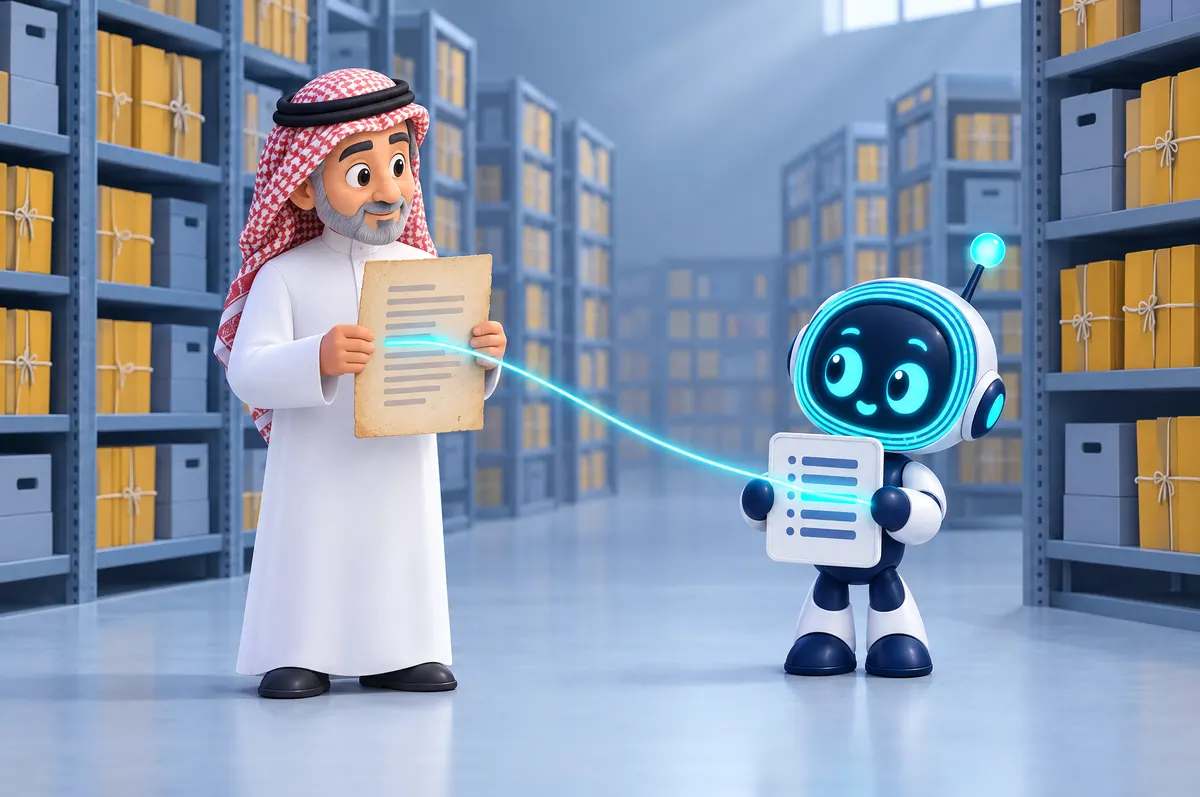
- Show each field beside a crop of its source image.
- Check "Always" fields on every document, "Sample" fields on a share fixed in advance.
- Use the tool's confidence flag to order the queue, never to skip the check.
- For fields that move money or set a deadline, have a second person re-check a sample; US archive rules likewise require validation by "separate staff" [8].
- Log every correction by type: wrong digit, mixed digit sets, wrong date or calendar, misspelt name, split stretched word, shifted table row, missing or wrong field (a VAT number read as a CR number), reversed text.
The log shows what to fix: scans, sheet or tool. Stamps and signatures stay with a person.
Step 5: keep the original beside the extracted data
Every extracted value should lead back to its source page for checking.
- Link every record to its file and page.
- Store the scan unchanged, with a checksum (a digital fingerprint) taken on arrival so changes show.
- Give access by role, log views and edits, and back up on a schedule.
A searchable PDF (the scan with an invisible text layer) makes the original findable, but doesn't replace checked fields.
What Saudi law asks of electronic records
This article is general information, not legal advice. Check your company's obligations against the current text of the law and its implementing regulations, and, outside Saudi Arabia, against your own jurisdiction's rules.
Under Saudi Arabia's Electronic Transactions Law, an electronic record meets a legal duty to keep a document if it is kept as created, sent or received (or provably matching), stays retrievable, and shows who sent it, to whom and when [13, Art. 6(1)].
It counts as an original when technical means ensure its integrity from its final form and allow the information to be produced on request [13, Art. 8]. Its Implementing Regulation adds documented keeping rules, periodic backups and a log of every view or change [12, Art. 5–6].
These rules cover electronic transaction records. Whether a scan can replace a paper original you must keep is a question for your lawyer; don't destroy originals on the strength of OCR. Elsewhere, ask whether the copy is faithful, retrievable and traceable.
ID copies, and where the data goes
The PDPL's Implementing Regulation tells controllers not to photograph or copy official identity documents unless a competent public authority asks or a legal requirement applies, and to protect and destroy copies once the purpose ends unless the law requires keeping them [14, Art. 31; see also 9, Art. 28]. So don't scan national ID or iqama (residence permit) copies "just in case"; record only the number you need, from the original, if at all.
A free converter or public AI tool sends your scans to someone else's servers, possibly in another country. For personal data covered by Saudi Arabia's PDPL, its transfer conditions apply, including limiting the transfer "to the minimum amount of Personal Data needed" [9, Art. 29]; elsewhere, your own data-protection law sets the rules.
SDAIA's generative AI guideline also tells organisations to stop staff "entering classified information into third-party tools" [15, §5.4], so keep a written list of what never goes in.
Start with one document type and measure the error rate
Pick the document type that takes most of your team's week; a four-question test helps. Use about 50 real documents of mixed quality, a practical starting size, and set thresholds before you see results.
Keep a test log, one row per document:
| Document | Scan quality (good / fair / poor) | Fields checked | Fields wrong | Error types | Minutes to extract and check |
|---|---|---|---|---|---|
| 1 |
Then work out four numbers:
- Field error rate = fields wrong ÷ fields checked. As arithmetic only, not a typical result: 6 wrong out of 400 gives 1.5%.
- The same rate for poor scans alone. If it is much higher, fix Step 2 first.
- Errors that got past the check, found when a second person re-checks a sample of "Always" fields. This must be zero before you rely on the output.
- Minutes saved a month = (minutes per document by hand − minutes with extraction and check) × documents a month, using the middle value of 10 documents timed each way.
If most errors are one type, such as dates, fix that rule before changing tools. If the minutes saved are small, keep the task manual.
Your next step
This week, run that test on one document type: a field sheet of 8 to 10 fields and 50 real documents scanned to the Step 2 checklist. The results show what Arabic OCR does with your own documents. If you want help, this is how O AI, a Saudi AI and software company, works:
A good first step is one slow, repetitive task: documents, customer replies, reports or data spread across systems. O AI studies that task, checks whether AI is worth it, then connects AI to the systems you already use or builds a new one. The first consultation and proposal come with no commitment.
Bring that document type to a free consultation to see whether AI extraction pays off. We reply within one business day.
Frequently asked questions
Can Arabic OCR convert a PDF to Word without errors?
Not reliably when the PDF is a scan. Newer AI models beat traditional OCR tools on character errors, but in the 2025 KITAB-Bench benchmark (Findings of ACL 2025) the best model scored about 65% on converting whole, deliberately hard Arabic PDFs, text and tables combined. For a clean digital PDF, extract the text directly. For scans, scan well, extract only the fields you need, and have a person check names, numbers and dates.
Can I convert a scanned Arabic PDF to Excel?
Yes, and for tables Excel is often a better target than Word, because each value sits in its own cell, ready to check and total. Check tables harder than running text, though: in the 2025 KITAB-Bench benchmark, whole PDFs with tables were a weak spot even for the best model. Extract only the columns you need, convert every number to one digit set so the sheet can sort and add them, and re-add each column against the printed total. If the table came from a system or bank, ask for its Excel or CSV export instead.
Can I translate a scanned Arabic PDF into English?
Yes, but check the Arabic first. Translation works on the text the OCR produced, so a misread digit, date or name carries straight into the English, where a reader who cannot read Arabic will not catch it. Run Steps 2 to 4 before you translate, keep names in Arabic beside any English spelling, and check amounts and dates against the image. For a contract or anything you will rely on, have a qualified translator review the result.
Why do Arabic letters come out broken or reversed when I copy from a PDF?
Usually for one of two reasons. The PDF's hidden text layer may store the letters as display shapes, which the Unicode Consortium advises against because that "does not guarantee data integrity and interoperability" (Unicode FAQ: Ligatures, Digraphs and Presentation Forms), or in display order rather than reading order. Or the tool you copy or extract with may rebuild the right-to-left order wrongly: in a check for this article, one open-source extractor reversed every lam-alef pair in an official Saudi PDF that another read correctly. Try a second tool first; if the problem stays, normalise the text or run OCR on the page image, then check the numbers.
What is the best Arabic OCR?
The one that does best on your own documents. The KITAB-Bench study (Findings of ACL 2025) found that no single model led across fonts, diacritics, stretched words and tilted text, and its authors say it lacks scanned government and financial records. Shortlist by type first. OCR software you run on your own machines keeps files in-house. A cloud document service under a company contract may add field extraction and confidence flags, so ask where files are processed and stored, for how long, and whether they are used to train models. Free websites suit only pages with nothing personal or confidential on them. Then run the same 50 real documents through each and compare field error rates and minutes per document.
Is it safe to upload scanned documents to free online OCR sites?
Not documents that hold personal or confidential data. The file goes to someone else's servers, possibly abroad, and under Saudi Arabia's PDPL a transfer of personal data outside Saudi Arabia must meet set conditions, including sending only the minimum needed (PDPL Article 29). SDAIA tells organisations to stop staff entering classified information into third-party tools (SDAIA generative AI guideline, section 5.4). Use a tool your company has a contract with, one that states where files are processed and whether they are kept, or one that runs on your own machines. Better still, don't copy official ID documents at all unless a competent public authority asks or a law requires it (PDPL Implementing Regulation, Article 31).
Can AI read handwritten Arabic?
Partly. Handwriting is harder than print: every writer's letters differ, and diacritics are often left out (Kasem, Mahmoud and Kang, Arabic OCR survey, 2023). Treat the output as a suggestion and check every field. Time the work too, because for small volumes typing by hand may be quicker. Test with your own handwritten documents before you rely on any tool.
Can we throw away the paper once it is scanned?
Not on the strength of OCR. Saudi Arabia's Electronic Transactions Law sets conditions for an electronic record to count as kept and as an original, including that its content matches what was received, it stays retrievable and its integrity is assured (Articles 6 and 8). Some transactions fall outside the law altogether (Article 3). Ask your lawyer which originals you must keep; outside Saudi Arabia, check your own rules.
How this article was made: Researched from the sources listed below, opened on 29 September 2026, plus text-extraction and date-conversion tests run for this article. Drafted with AI assistance, then checked against those sources. Images are AI-generated illustrations.
Sources
- Advancements and Challenges in Arabic Optical Character Recognition: A Comprehensive Survey (opens in a new tab)arXiv (Kasem, Mahmoud and Kang; preprint, December 2023) · arxiv.org
- KITAB-Bench: A Comprehensive Multi-Domain Benchmark for Arabic OCR and Document Understanding (opens in a new tab)ACL Anthology (Heakl et al.; Findings of the Association for Computational Linguistics: ACL 2025) · aclanthology.org
- FAQ: Ligatures, Digraphs and Presentation Forms (opens in a new tab)Unicode Consortium · unicode.org
- FAQ: Arabic Script (opens in a new tab)Unicode Consortium · unicode.org
- الدليل الإرشادي التفصيلي للفوترة الإلكترونية (Arabic edition of the Detailed Guidelines for E-Invoicing, Version 2, May 2023; the file used for the extraction check) (opens in a new tab)Zakat, Tax and Customs Authority (ZATCA) · zatca.gov.sa
- Baseer: A Vision-Language Model for Arabic Document-to-Markdown OCR (opens in a new tab)arXiv (Hennara et al.; preprint, September 2025) · arxiv.org
- Detailed Guidelines for E-Invoicing (Version 2, May 2023) (opens in a new tab)Zakat, Tax and Customs Authority (ZATCA) · zatca.gov.sa
- 36 CFR Part 1236, Subpart E: Digitizing Permanent Federal Records (opens in a new tab)US National Archives and Records Administration (NARA) · ecfr.gov
- Personal Data Protection Law (English translation, as amended by Royal Decree M/148; the Arabic text on laws.boe.gov.sa is the official version) (opens in a new tab)Saudi Data & AI Authority (SDAIA) · sdaia.gov.sa
- United Kingdom General Data Protection Regulation, Article 5: Principles relating to processing of personal data (opens in a new tab)The National Archives (UK), legislation.gov.uk · legislation.gov.uk
- BCP 47 calendar identifiers (calendar.xml) (opens in a new tab)Unicode CLDR Project · github.com
- Implementing Regulation of the Electronic Transactions Law (in Arabic, version 1.1, 2024) (opens in a new tab)Digital Government Authority (DGA) · dga.gov.sa
- Electronic Transactions Law (Royal Decree M/18, 2007; official English translation, as amended; the Arabic text governs) (opens in a new tab)Bureau of Experts at the Council of Ministers · laws.boe.gov.sa
- Implementing Regulation of the Personal Data Protection Law (opens in a new tab)Saudi Data & AI Authority (SDAIA) · sdaia.gov.sa
- Generative Artificial Intelligence Guidelines for Public (May 2025) (opens in a new tab)Saudi Data & AI Authority (SDAIA) · sdaia.gov.sa
About the author