 AI
AI

Using ChatGPT in Arabic: settings and ready-made work prompts
How to use ChatGPT in Arabic at work: the five settings to change, custom instructions you can paste, when to ask for formal Arabic or Saudi dialect, fixes for right-to-left formatting, translation checks, privacy settings and 15 ready-made prompts.
Key takeaways
- There is no separate Arabic ChatGPT: Arabic is one of the 59 languages on OpenAI's supported list, and the interface follows your device language or the Language setting.
- The interface language changes the menus, not the replies; put the reply language, register, digits and date format in custom instructions.
- Most broken Arabic after pasting is a text-direction problem: set paragraphs to right-to-left and ask ChatGPT for plain text without Markdown.
- Treat ChatGPT translation as a first draft: give a glossary, lock names and figures, back-translate key parts and have a person review.
- On personal plans, turn off model training in Data controls; Business, Enterprise and Edu content is not used for training by default.
On this page
- What is ChatGPT, and how well does it handle Arabic?
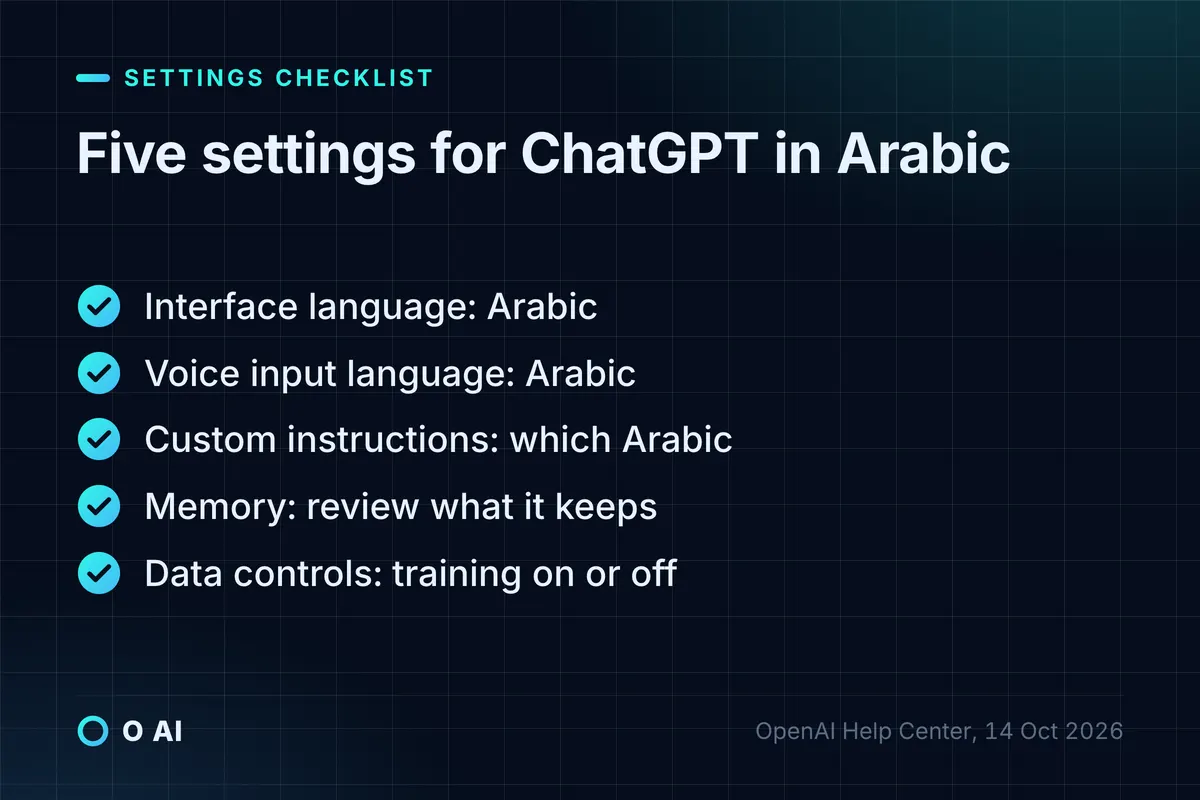
- Five settings for using ChatGPT in Arabic
- Custom instructions for Saudi business Arabic: text you can paste
- Formal Arabic or Saudi dialect: which register for which task?
- Right-to-left problems and how to fix them
- ChatGPT translation between Arabic and English
- 15 ready-made prompts for ChatGPT in Arabic
- What not to paste, and the privacy settings to check
- Your next step
ChatGPT in Arabic needs no special version: Arabic is on OpenAI's list of supported languages [1], and you can switch the interface, voice input and standing instructions to Arabic in a few minutes. Results improve most when you say which Arabic you want, fix right-to-left formatting and check every figure.
This guide covers the settings, as described in OpenAI's help centre on 14 October 2026, how to ask for formal Arabic or Saudi dialect, right-to-left fixes, translation, and 15 ready-made prompts for Arabic work tasks. Menus and labels change from time to time, so follow the current wording on your screen. O AI is not affiliated with OpenAI or any other company named here.
What is ChatGPT, and how well does it handle Arabic?
ChatGPT is OpenAI's conversational assistant. It answers questions, drafts and rewrites text, summarises uploaded documents and translates between languages [2]. There is no separate Arabic edition: the same ChatGPT works in Arabic once you write to it in Arabic or change its settings.
Arabic is one of the 59 languages on OpenAI's list of supported languages for ChatGPT [1]. When you open ChatGPT in a browser or on a phone, it detects the device language and switches its interface to match, if that language is supported [1].
Two cautions before you rely on it:
- Supported does not mean always right. OpenAI warns that ChatGPT can produce incorrect facts and dates, invent quotes and references, and sound confident while wrong [8]. Arabic output needs the same checking as English, and sometimes more.
- Check the app you install. App stores carry third-party apps with "ChatGPT Arabic" in their names. Before you install or pay, check that the developer shown is OpenAI.
Five settings for using ChatGPT in Arabic
These are the settings that matter most for Arabic work, with the paths OpenAI documents for the web version.
| Setting | Where to find it | What to choose | Source |
|---|---|---|---|
| Interface language | Profile icon > Settings > General > Language | Arabic for Arabic menus; otherwise ChatGPT follows your browser or device language | [1] |
| Voice input language | Settings > Voice > Language | Arabic, so dictation is not mistaken for another language | [3] |
| Custom instructions | Settings > Personalization > Custom instructions | Which Arabic, tone, numerals and date format you want | [4] |
| Memory | Settings > Personalization > Memory | Review what ChatGPT keeps about your preferences; correct or delete it | [5] |
| Data controls | Settings > Data controls | Whether your chats can be used to train OpenAI's models | [9] |
On the mobile app, the language setting sits under the profile icon at the bottom of the sidebar, in the App section, and it can only be changed while you are signed in [1].
Keep one point in mind: the interface language changes the menus, not the language of the answers. If you want every answer in Arabic, say so in your custom instructions or at the end of each prompt.
Custom instructions for Saudi business Arabic: text you can paste
Custom instructions apply to every chat as soon as you save them. Free and Go users can save up to 1,500 characters, and Plus, Pro and business plans up to 5,000 [4]. The text below fits within the lower limit. Paste it into the custom instructions field and edit it to suit your company.
Reply in Modern Standard Arabic suited to Saudi business correspondence, unless I ask for Saudi dialect. Use Western digits, the Gregorian date, and SAR for money. Add a Hijri date only when I give it to you. Keep company names, product names and technical terms in English letters when I write them that way. Use Arabic punctuation. Prefer short sentences and plain words, and avoid literal translations of English idioms. When I paste a document, never change names, numbers or dates. If you are not sure of a fact, say so instead of guessing.
Why each line is there:
- "Unless I ask for Saudi dialect" sets formal Arabic as the default and lets you switch per task.
- Western digits, Gregorian dates and SAR keep the output consistent with most Saudi business systems. Change them if your company writes Eastern Arabic numerals or uses the Hijri date first.
- "Add a Hijri date only when I give it" stops the model converting dates itself. Date conversion is exactly the kind of fact you should not leave to a language model unchecked.
- "Never change names, numbers or dates" protects the details that matter most in a letter or an invoice.
Memory adds a second layer. When Memory is on, ChatGPT can remember preferences from your chats, and you can ask it what it remembers, correct an item or delete it [5]. Telling it once that "letters to government entities are always in formal Arabic" saves repeating it.
Formal Arabic or Saudi dialect: which register for which task?
Most work writing in Saudi Arabia is in formal Arabic, but customer messages are often in dialect. ChatGPT generally follows the register you name, so state it in the prompt.
| Situation | Register to ask for | Line to add to the prompt |
|---|---|---|
| Letter to a government entity | Formal Arabic, official conventions | "Formal Arabic, with a standard official greeting and closing." |
| Email to a client or partner | Formal but warm | "Formal Arabic, warm and direct, short paragraphs." |
| WhatsApp reply to a customer | Polite Saudi dialect | "Polite Saudi dialect, under 50 words, no slang." |
| Social media post | Light formal Arabic or dialect, by brand | "Match the voice of these two posts: [paste]." |
| Internal announcement | Clear formal Arabic | "Simple formal Arabic that all staff understand." |
"Saudi dialect" covers several regional varieties. If it matters, name the region you write for, such as Najdi, Hijazi or the Eastern Province, and give a sample message in that style.
Voice is less predictable than text. OpenAI notes that audio understanding and transcription performance may vary across languages [2], and suggests setting your voice language in Settings > Voice > Language when ChatGPT detects the wrong one [3]. Test a few voice notes in your own dialect before relying on dictation for customer work.

Right-to-left problems and how to fix them
Most "broken Arabic" complaints are not ChatGPT errors but text-direction problems that appear when you paste into Word, email or a company system. The W3C, which maintains web standards, explains the cause: Arabic letters run right to left, numbers run left to right inside Arabic text, and spaces and punctuation are neutral, so at a boundary between Arabic and English they take the direction of the paragraph. When the paragraph direction is wrong, a full stop or question mark ends up on the wrong side [6].
| What you see | Likely cause | Fix |
|---|---|---|
| The full stop or question mark sits at the start of the line | The paragraph is set to left-to-right | Set the paragraph direction to right-to-left in your editor, then paste again |
| An English name with a number appears in the wrong order | Mixed Arabic and English in one phrase | Move the English term to the end of the clause, or put it in brackets, and read it back |
| Bullets and numbering appear on the left | The list was created left-to-right | Switch the list or the paragraph to right-to-left |
| Table columns read in the wrong order | The sheet or table is set left-to-right | Switch the sheet or table direction to right-to-left before pasting |
| Asterisks, hash marks or pipes appear in the text | ChatGPT formatted the answer in Markdown | Ask for "plain text with no Markdown symbols" |
| Arabic letters inside a generated image look disconnected | The image model drew the letters | Add Arabic text afterwards in a design tool |
One prompt prevents most of these problems: ask ChatGPT to "return plain text, one item per line, no Markdown, no tables", then format the text in the destination program.
ChatGPT translation between Arabic and English
ChatGPT can translate between Arabic and English inside any chat [2]. OpenAI also runs ChatGPT Translate, a dedicated page that lists more than 40 languages, Arabic among them, with one-click options to make a translation more fluent or more professional [7]. The page notes that chats there may be reviewed and used to improve OpenAI's models [7], so do not paste confidential text into it.
A translation that reads natively needs more than a "translate this" prompt:
- Name the reader. "For a Saudi procurement manager" produces different Arabic from "for a general audience".
- Give a glossary. List the terms your company always translates one way, and the ones that stay in English.
- Lock the details. Ask for names, figures and dates to be kept exactly as in the original.
- Ask for a list of doubts. "After the translation, list any sentence whose meaning was ambiguous."
- Back-translate the important parts. Ask a separate chat to translate the Arabic back into English and compare it with the original.
- Have a person review. For contracts and anything submitted to an authority, a qualified translator should check the final text.
ChatGPT can read an uploaded PDF, but scanned Arabic pages are a separate problem: the text has to be recognised before it can be translated. Our Arabic OCR workflow explains how to check numbers and dates from scanned documents.
15 ready-made prompts for ChatGPT in Arabic
These prompts are written in English for staff who work in English but need Arabic output. Replace the [brackets] and paste your text where indicated.
| # | Task | Prompt |
|---|---|---|
| 1 | Dialect message into a formal record | Rewrite this customer WhatsApp message, written in Saudi dialect, as a formal Arabic summary for our records: who, what happened, when, and what they ask for. Message: [paste] |
| 2 | Formal notice into a friendly message | Turn this formal Arabic notice into a short, friendly WhatsApp message in polite Saudi dialect, under 50 words, keeping every date and number. Notice: [paste] |
| 3 | English notes into native Arabic | Here are my notes in English. Write the email in natural Saudi business Arabic, not as a translation: a greeting suited to [recipient's title], short paragraphs, a clear request and a formal closing. Notes: [paste] |
| 4 | Arabic proofreading | Proofread the Arabic text below for spelling, grammar, hamza and taa marbuta errors, and punctuation. Return the corrected text, then a table of each change and the reason. Do not change the meaning or style. Text: [paste] |
| 5 | Diacritics for reading aloud | Add diacritics only to words that could be misread in the text below, such as names and passive verbs, so a presenter reads it correctly. Text: [paste] |
| 6 | Bilingual glossary | Build an English-Arabic glossary of the 20 key terms in the document below, with the Arabic term we should use consistently and a note where several options exist. Document: [paste] |
| 7 | Localise a product page | Translate this English product page into Arabic for shoppers in Saudi Arabia. Adapt idioms and examples to local culture, keep the brand name and model numbers in English, and show prices in SAR. Then list what you adapted rather than translated. Page: [paste] |
| 8 | Back-translation check | Translate this Arabic text back into English as literally as possible, so I can compare it with the original. Text: [paste] |
| 9 | Arabic summary of an English report | Summarise this English report in formal Arabic for a manager who prefers Arabic: five bullet points, figures exactly as in the original, and the English term in brackets after each technical term on first use. Report: [paste] |
| 10 | Minutes from a mixed transcript | This meeting transcript mixes Arabic and English. Write the minutes in formal Arabic, keeping product and system names in English as spoken: decisions, actions with owners and dates, open questions. Transcript: [paste] |
| 11 | Arabic job advertisement | Write a job advertisement in Arabic for [role] in [city], formal but inviting, under 150 words, with requirements as bullet points. Then write an English version for the same post that is not a word-for-word translation. |
| 12 | Social captions in two registers | Write three Instagram captions in Arabic for [product] for [occasion]: one formal, one in light Saudi dialect, one asking the audience a question. Each under 30 words, with no exaggerated claims. |
| 13 | Reply in the customer's register | Read the customer message below, decide whether it is formal Arabic or dialect, and reply politely in the same register, under 80 words, offering [solution]. Message: [paste] |
| 14 | Arabic page titles | For the Arabic page below, suggest five titles under 60 characters and three meta descriptions under 155 characters that use the phrase [keyword] naturally. Page: [paste] |
| 15 | Text that pastes cleanly | Give me the answer as plain text with no Markdown, tables or bullet symbols, one item per line, so I can paste it into [system], which shows Arabic right to left. |
If your team answers many customer messages in dialect every day, a single chat window will not scale. Our guide to WhatsApp chatbots for business covers what an assistant can answer and when to hand over to a person.
What not to paste, and the privacy settings to check
Arabic or English, the same data rules apply. Saudi Arabia's Personal Data Protection Law treats a name, an ID number, addresses, contact numbers, bank and card numbers and photos as personal data, and it restricts transferring personal data outside the Kingdom [11]. Our guide to data residency in Saudi Arabia explains the conditions. This section is general information; for a specific case, check SDAIA's guidance or ask a licensed advisor.
The settings that control what happens to your chats:
- Model training. On personal plans, turn off "Improve the model for everyone" in Settings > Data controls, and your new conversations will not be used to train OpenAI's models; they still appear in your history [9]. If you rate an answer with a thumbs up or down, OpenAI may still use that whole conversation for training on individual plans [10].
- Temporary chat. A temporary chat does not appear in your history, does not create memories and is not used to improve the models, though OpenAI may keep it for up to 30 days for safety [9].
- Business plans. OpenAI does not use content from ChatGPT Business, Enterprise or Edu to train its models by default [10]. Its enterprise privacy commitments add SAML single sign-on and state that the customer owns its inputs and outputs, where the law allows [12].
The practical rule: replace names and ID numbers with labels before you paste, and keep company documents in a business account, not a personal one.

Your next step
Today, set the five settings above, paste the custom instruction and adjust it to your company's style. Then take one real Arabic task from this week, remove the personal data, and run it through three of the prompts. Note how many edits each answer needed before it could be sent, and keep the prompt that needed the fewest. If you later need ChatGPT-style answers connected to your own systems in Arabic, that is a software project; you can read about O AI, a software and AI company in Al Khobar, on our home page.
Frequently asked questions
Is there an Arabic version of ChatGPT?
There is no separate Arabic edition. The same ChatGPT works in Arabic: write to it in Arabic, or set the interface language to Arabic in Settings > General > Language on the web, or under App > Language on the phone. Arabic is on OpenAI's list of supported languages. Be careful with third-party apps that use "ChatGPT Arabic" in their names; check that the developer is OpenAI before you install or pay.
Can ChatGPT understand and write Saudi dialect?
It can work with Saudi dialect in text, but you need to ask for it and say how informal you want it. Name the region if it matters, give a short sample message in the style you want, and set a word limit. Voice is less predictable: OpenAI says transcription performance varies across languages, so test a few voice notes in your own dialect before relying on dictation for customer work.
How do I make ChatGPT always reply in Arabic?
Changing the interface language changes the menus, not the replies. To get Arabic answers every time, add a line to your custom instructions, such as "Reply in formal Arabic unless I ask otherwise", and save it. Custom instructions apply to all chats. You can also ask ChatGPT to remember the preference if Memory is on, and you can still switch to English for a single task by saying so in that prompt.
Is ChatGPT translation good enough for business documents?
It is a strong first draft, not a final translation. Give the reader, a glossary and the rule to keep names, numbers and dates unchanged, then ask for a list of ambiguous sentences and back-translate the important parts. For contracts, official letters and anything submitted to an authority, have a qualified translator review the final text. Do not paste confidential documents into any tool that may use them for training.
Why does Arabic text look wrong when I paste it into Word?
Usually the paragraph direction is wrong, not the Arabic. Arabic runs right to left while numbers and English words run left to right, and punctuation takes the direction of the paragraph. If the paragraph is left-to-right, full stops and question marks jump to the wrong side and lists align left. Set the paragraph to right-to-left before pasting, and ask ChatGPT for plain text without Markdown symbols.
Is it safe to paste company documents into ChatGPT?
It depends on the plan and the content. On personal plans, chats can be used for training unless you turn it off in Data controls; on Business, Enterprise and Edu, OpenAI does not train on your content by default. Personal data such as names, ID numbers and phone numbers is protected under Saudi Arabia's PDPL, which restricts transfers outside the Kingdom. Remove identifiers before pasting, and for a specific case check SDAIA's guidance or ask a licensed advisor.
Does the free plan of ChatGPT work in Arabic?
Yes. OpenAI's language settings do not limit Arabic to paid plans, and the free plan accepts Arabic prompts and can show an Arabic interface once you sign in. The paid plans add higher limits and more features, such as more file uploads and image creation. If you use ChatGPT for occasional Arabic writing, the free plan is enough to test the settings and prompts in this guide before deciding whether you need more.
How this article was made: Researched from the sources listed below, opened on 14 October 2026. Drafted with AI assistance, then checked against those sources. General information, not professional advice. Images are AI-generated illustrations.
Sources
- How to change your language setting in ChatGPT (opens in a new tab)OpenAI Help Center · help.openai.com
- ChatGPT capabilities overview (opens in a new tab)OpenAI Help Center · help.openai.com
- Why does the voice input detect a different language from the one I'm speaking? (opens in a new tab)OpenAI Help Center · help.openai.com
- ChatGPT Custom Instructions (opens in a new tab)OpenAI Help Center · help.openai.com
- Memory in ChatGPT (opens in a new tab)OpenAI Help Center · help.openai.com
- Unicode Bidirectional Algorithm basics (opens in a new tab)W3C Internationalization · w3.org
- ChatGPT Translate (opens in a new tab)OpenAI · chatgpt.com
- Does ChatGPT tell the truth? (opens in a new tab)OpenAI Help Center · help.openai.com
- Data controls in ChatGPT (opens in a new tab)OpenAI Help Center · help.openai.com
- How your data is used to improve model performance (opens in a new tab)OpenAI Help Center · help.openai.com
- Personal Data Protection Law (in Arabic) (opens in a new tab)Bureau of Experts at the Council of Ministers · laws.boe.gov.sa
- Enterprise privacy at OpenAI (opens in a new tab)OpenAI · openai.com
About the author
Newsletter
New guides and news by email
New guides and news about O AI, Rushd and Dalni, at most twice a month. No spam.