 AI


Accounting software vs ERP: when your company needs to switch
When is accounting software enough, and when does a Saudi company need an ERP? Eight warning signs, a decision table, a cost example from published prices, and the ZATCA e-invoicing steps to plan before you switch systems.

Key takeaways
- Stay on accounting software while finance is the only shared process; consider an ERP when teams re-key orders, stock spans sites, or the group has several companies.
- Three or more of the eight signs, especially duplicate data entry, multi-site stock and several companies, are the point to start an ERP evaluation.
- Switching systems means onboarding new e-invoicing units on ZATCA's Fatoora portal; the one-time password is valid for one hour and revoking a unit is final.
- Issued e-invoices cannot be edited or re-created; export the old system's XML archive and keep VAT records for at least six years.
- On 14 October 2026, Zoho Books priced Saudi plans per organisation from SAR 60 a month billed annually, while Business Central charged $80 to $110 per user.
On this page
- What accounting software does, and what an ERP adds
- Eight signs your company has outgrown accounting software
- Decision table: stay, extend or switch
- What changes for ZATCA e-invoicing when you switch systems
- What it costs: per organisation against per user
- How to move from accounting software to an ERP without breaking invoicing
- When an ERP is not the answer
- Your next step
This guide is by O AI, a Saudi software and AI company that builds systems, apps and AI for companies. See what we build
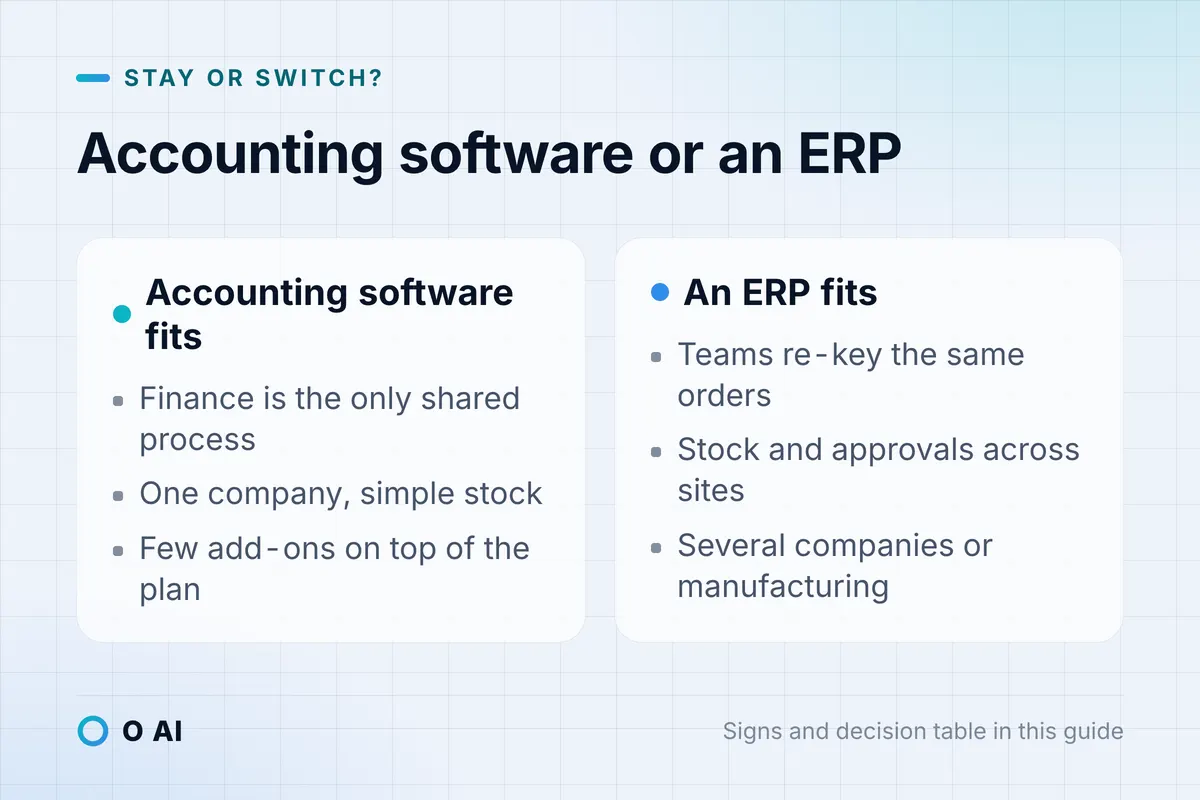
In the accounting software vs ERP decision, stay with accounting software while finance is the only process that needs a shared system and the rest of the business stays simple. Move to an ERP when several teams re-enter the same orders, when stock, purchasing or projects need controls across locations, or when one company becomes several.
This guide gives the signs that a company has outgrown its accounting software, a decision table for staying, extending or switching, a cost example built from published prices, and the steps to change systems without breaking ZATCA e-invoicing. Prices and rules were read on official and vendor pages on 14 October 2026. It is general information, not tax advice.
What accounting software does, and what an ERP adds
Accounting software records the financial result of what the business does: sales invoices, expenses, bank transactions, VAT and the reports built on them. Many Saudi products now add inventory, point of sale or payroll as modules or paid add-ons.
An ERP starts one step earlier. Microsoft describes ERP as business management software that integrates core processes across finance, supply chain, manufacturing, human resources, procurement and project management, and keeps transactional and operational data in a central database [1]. The purchase request, the approval, the goods receipt, the stock transfer and the sales order all live in the same system as the ledger.
| Area | Typical accounting software | Typical ERP |
|---|---|---|
| Sales invoices, VAT and e-invoicing | Core feature | Core feature, often through a Saudi localisation app |
| Purchases | Supplier bills and payments | Requests, approvals, purchase orders, receipts and matching |
| Inventory | Item quantities, sometimes by warehouse | Warehouses, batches, transfers, costing and planning |
| Several companies | Usually one subscription per business | Multi-company and consolidation in one system |
| Manufacturing and projects | Rare | Bills of materials, work orders, project budgets |
| Price model | Often per organisation, with user limits | Usually per user, plus implementation |
| Setup | Self-service in days | A project with a partner, usually over weeks or months |
The price models show the difference clearly. Zoho Books prices its Saudi plans per organisation per month, each with a set number of users and invoices a year [3]. Qoyod's plans include one, three or five users and locations, and its help centre says each business needs its own subscription [4]. ERP vendors such as Odoo and Microsoft price per user [5][6].
Eight signs your company has outgrown accounting software
Count how many of these describe your company today.
- The same order is typed two or three times: once for sales, once for stock and once in the accounts. Microsoft lists disconnected systems as a sign that a business needs a new system [1].
- Stock sits in more than one warehouse or branch, and the counts in the system rarely match the shelves.
- Purchases are approved by email or chat, so nobody can see what was committed before the supplier's invoice arrives.
- Month-end waits for spreadsheets from sales, operations or HR before the accounts can close.
- The group has more than one commercial registration, and consolidation happens in Excel.
- You manufacture, assemble or bill by project, and costs are worked out outside the system.
- You keep hitting plan limits. Zoho Books' Saudi plans, for example, range from 1,000 invoices a year on the free plan to 100,000 on the top plans, and from 3 to 15 users on paid plans [3].
- Add-ons are piling up. Qoyod, for example, prices payroll per employee, point of sale per user, and extra users and locations separately [4]. When add-ons approach the cost of the base plan, compare the total with an ERP.
One or two signs usually mean extending the accounting software: an add-on, a module or an integration. Three or more, especially signs 1, 2 and 5, are the point to start an ERP evaluation.

Decision table: stay, extend or switch
Use the row that best matches your company. "Usually enough" is a starting point to test, not a rule.
| Your situation | Usually enough | What to check |
|---|---|---|
| Sales invoices, expenses and VAT returns at one location | Accounting software with Phase 2 e-invoicing in the plan | That Phase 2 is in the plan you pay for, not only in a higher tier |
| A shop or café with several tills | Accounting software with a point-of-sale add-on, or a point-of-sale system with its own compliant e-invoicing | Each device that issues invoices may be a separate e-invoicing unit to onboard [7] |
| Payroll for a small team | An accounting add-on or an HR app linked to the accounts | The per-employee price as headcount grows [4] |
| Stock in several warehouses, purchases needing approval | An inventory module, if it handles approvals and transfers; otherwise an ERP | Whether a purchase order, receipt and invoice can be matched |
| Several companies that report together | An ERP with multi-company features | Odoo, for example, puts multi-company in its Custom plan [5] |
| Manufacturing or assembly | An ERP with a manufacturing module | Microsoft's Business Central Premium adds manufacturing to Essentials [6] |
| Project-based billing | An ERP projects module, or a project tool linked to the accounts | Whether project costs reach the ledger without re-keying |
What changes for ZATCA e-invoicing when you switch systems
The e-invoicing rules make a system change more than a data migration. On 24 July 2026 ZATCA announced Wave 25 of the integration phase: taxpayers whose revenue subject to VAT exceeded SAR 187,500 in 2022, 2023, 2024 or 2025, to be notified to integrate with the Fatoora platform by no later than 1 February 2027 [2]. If your wave already applies, or will apply during the project, the new system has to be integrated before the old one stops issuing invoices.
Four rules shape the switch:
- Each unit is onboarded. ZATCA's guideline says an e-invoicing solution may contain one or more units [7]. On the Fatoora portal, the taxpayer logs in, chooses "onboard new solution unit/device", generates a one-time password valid for one hour and enters it in the unit; the same portal lists onboarded units and lets you revoke them, and a revocation cannot be reversed [8].
- Invoices cannot be edited or deleted. Cancelling an issued invoice is done only through a credit note and a new invoice, and a unit must not reset its counter or run more than one invoice sequence [7]. Do not re-create old invoices in the new system; agree with both providers how credit notes for invoices issued before the switch will be issued and referenced.
- The archive stays your responsibility. VAT records are kept for at least six years from the end of the tax period, in Arabic, and ZATCA's VAT guideline expects a resident taxpayer's records server to be in the Kingdom [10]. ZATCA's e-invoicing guideline also requires that a solution can export invoices to an external archive [7]. Export every XML invoice from the old system before its subscription ends.
- Test before production. ZATCA's simulation portal is a separate environment for end-to-end testing, and units are onboarded to it independently [8]. Odoo, for example, recommends testing every invoicing flow there first and warns that switching its connection to production cannot be undone, after which journals are onboarded again on the main portal [9].
Avoid going live in the weeks just before your wave deadline or a VAT return. A quiet month gives time to reconcile both systems.
What it costs: per organisation against per user
Published prices show why the jump to an ERP feels large. All figures were shown on the vendors' pages on 14 October 2026; Odoo displayed US dollars to us, and Microsoft's figures come from its US pricing page.
| Product | Type | Published price model |
|---|---|---|
| Zoho Books (Saudi plans) [3] | Accounting | Per organisation: Standard SAR 60 a month billed annually with 3 users; Premium SAR 120 with 10 users; extra users SAR 8 a month billed annually; prices exclude local taxes |
| Qoyod [4] | Accounting | Per business: Basic SAR 1,380, Pro SAR 2,070 and Advanced SAR 3,795 a year including VAT, with 1, 3 and 5 users |
| Odoo [5] | ERP | One app free with unlimited users; Standard (all apps) and Custom per user a month; Odoo.sh hosting extra |
| Microsoft Dynamics 365 Business Central [6] | ERP | Essentials $80 and Premium $110 per user a month paid yearly; Team Members $8 |
Illustrative example. A trading company in Riyadh has 12 staff who need a login: four work in finance, purchasing and sales all day, and eight only approve purchases or check stock.
| Option | Calculation | Yearly licence cost before tax |
|---|---|---|
| Zoho Books Premium, billed annually, plus 2 extra users | SAR 120 × 12, plus 2 × SAR 8 × 12 | SAR 1,632 |
| Business Central Essentials for 4, Team Members for 8 | 4 × $80 × 12, plus 8 × $8 × 12 | $4,608 |
The licence gap is the visible part. Business Central's Saudi localisation comes from partners [11], so the ERP line also carries localisation, implementation and data migration, which are quoted per project. The other side of the comparison is the cost of staying: measure for one month how many hours your team spends re-keying orders, stock and approvals between systems. That number, not the licence price, usually decides the accounting software vs ERP question.
How to move from accounting software to an ERP without breaking invoicing
- Map every invoice source: sales, tills, projects, returns and any portal that bills customers.
- Pick the cut-over date at the start of a month, away from a VAT return and your wave deadline.
- Test in ZATCA's simulation portal with real scenarios: a standard invoice, a simplified invoice, a credit note and a return.
- Migrate master data and opening balances, not issued invoices. Customers, suppliers, items and balances move; old invoices stay in the old archive.
- Onboard the new units on the Fatoora portal, and revoke the old ones only after they have issued their last invoice.
- Export and store the old archive in XML for the full retention period.
- Reconcile both systems for the first month: sales totals, VAT and stock.
When an ERP is not the answer
Sometimes the gap is one process, not the whole company. A trading firm whose only problem is purchase approvals may need an approval workflow linked to its accounting software, not a new system. A connected tool or an automation between existing systems can close the gap for a fraction of an ERP project; our guide to AI agents, RPA and workflow tools explains which fits each step.
If the process that makes your money is unusual, neither accounting software nor a standard ERP may fit it well. Our guide to custom software development in Saudi Arabia explains when to buy, connect or build.
Your next step
This month, count the signs above that apply to your company and log the hours spent re-keying data between teams for four weeks. If you count three or more signs, write down every place an invoice is issued and every user who needs access, then ask two ERP vendors and your current accounting provider for a three-year cost on the same list. Settle the accounting software vs ERP question on those numbers, and plan any switch around your e-invoicing wave. To learn about O AI, a software and AI company in Al Khobar, visit our home page. Our ERP and business systems page describes the business systems we build.
Frequently asked questions
What is the difference between accounting software and an ERP?
Accounting software records the financial side of the business: invoices, expenses, bank, VAT and reports. An ERP runs the operations that produce those entries, such as purchasing approvals, stock across warehouses, manufacturing, projects and HR, on one shared database with the ledger. Accounting software is usually priced per organisation and set up in days; an ERP is usually priced per user and implemented as a project with a partner.
Is an ERP worth it for a small business?
Often not at first. A small business with one location and simple stock is usually well served by accounting software that includes Phase 2 e-invoicing, plus an add-on for point of sale or payroll. An ERP starts to pay when several teams re-key the same orders, stock spreads across sites, or the group has several companies. Some ERP vendors offer a free single app or a low entry plan, so a gradual start is possible.
Do I need to onboard with ZATCA again when I change my invoicing system?
Yes. Each unit that issues e-invoices is onboarded on ZATCA's Fatoora portal: you log in, choose to onboard a new solution unit or device, generate a one-time password valid for one hour and enter it in the new unit. Test first in ZATCA's simulation portal, which is a separate environment. Revoke the old units only after they have issued their last invoice, because a revocation cannot be reversed.
What happens to old invoices when we switch to an ERP?
They stay as they were issued. Issued e-invoices cannot be edited or deleted, and corrections are made through credit or debit notes. Keep the old system's invoices, ideally in XML, for the full VAT retention period of at least six years, and agree with both providers how credit notes for pre-switch invoices will be issued. Do not re-create old invoices in the new system as new documents.
Can we keep our accounting software and add an ERP later?
Yes, many companies extend first: an inventory module, a point-of-sale add-on or an approval workflow linked to the accounts. The risk is ending up with several systems issuing invoices or holding stock. If you add tools, decide which one issues each type of invoice and keep one invoice sequence per e-invoicing unit, then revisit the ERP question when the re-keying hours keep growing.
Is an ERP an accounting program?
An ERP includes full accounting, but it is wider than an accounting program. The finance module keeps the ledger, receivables, payables and VAT, while other modules handle purchasing, inventory, manufacturing, projects and HR on the same data. Some vendors sell the accounting module alone and let you add the rest later, which is one way to grow from accounting software into an ERP without changing products.
How this article was made: Researched from the sources listed below, opened on 14 October 2026. Drafted with AI assistance, then checked against those sources. General information, not professional advice. Images are AI-generated illustrations.
Sources
- What is ERP? (opens in a new tab)Microsoft · microsoft.com
- ZATCA determines the criteria for selecting the targeted taxpayers in Wave 25 for the integration phase of e-invoicing (24 July 2026) (opens in a new tab)Zakat, Tax and Customs Authority (ZATCA) · zatca.gov.sa
- Zoho Books pricing (Saudi Arabia) (opens in a new tab)Zoho · zoho.com
- Qoyod plans and pricing: subscription tiers, features and add-ons (opens in a new tab)Qoyod Help Center · qoyod.com
- Odoo pricing (opens in a new tab)Odoo · odoo.com
- Dynamics 365 Business Central pricing (opens in a new tab)Microsoft · microsoft.com
- Detailed Guidelines for E-Invoicing, version 2 (May 2023) (opens in a new tab)ZATCA · zatca.gov.sa
- FATOORA Portal User Manual, version 3 (May 2023) (opens in a new tab)ZATCA · zatca.gov.sa
- Saudi Arabia fiscal localisation (opens in a new tab)Odoo documentation · odoo.com
- Guideline for Tax Invoicing and Records under VAT Provisions, version 3 (May 2026) (opens in a new tab)ZATCA · zatca.gov.sa
- Business Central: country/regional availability and supported languages (opens in a new tab)Microsoft Learn · learn.microsoft.com
About the author
Newsletter
New guides and news by email
New guides and news about O AI, Rushd and Dalni, at most twice a month. No spam.