 AI


Arabic speech to text and text to speech: tools and accuracy
How to convert Arabic speech to text and text to speech: free dictation in Google Docs and Word, cloud services that list Saudi Arabic, Saudi neural voices, how to measure accuracy with word error rate, and the privacy rules for voice recordings.


Key takeaways
- Google Docs voice typing supports Arabic (Saudi Arabia) in the latest Chrome, Edge and Safari; its voice commands work only in English.
- Word's Dictate lists Arabic (Saudi Arabia) as a preview language and needs a Microsoft 365 subscription and an internet connection.
- Amazon Transcribe labels ar-SA as Modern Standard Arabic and ar-AE as Gulf Arabic; both support batch and streaming.
- Microsoft Azure lists two Saudi neural voices: ar-SA-ZariyahNeural (female) and ar-SA-HamedNeural (male).
- Microsoft treats a word error rate of 5 to 10% as good quality; test with 30 minutes to 5 hours of your own audio.
On this page
- What do speech to text and text to speech mean?
- Free ways to convert Arabic speech to text
- Business services for Arabic transcription
- Which option fits which job?
- Converting Arabic text to speech with AI
- How accurate is Arabic speech to text?
- Arabic audio transcription: a workflow that works
- Privacy: voice recordings are personal data
- A checklist before you choose a service
- Your next step
This guide is by O AI, a Saudi software and AI company that builds systems, apps and AI for companies. See what we build
Arabic speech to text turns spoken Arabic into written text; text to speech does the reverse and reads Arabic text aloud in a synthetic voice. For quick notes, Google Docs and Microsoft Word dictation support Arabic (Saudi Arabia). For recordings at business volume, cloud services from Google, Amazon and Microsoft list Saudi Arabic, but accuracy must be tested on your own audio.
What do speech to text and text to speech mean?
Speech to text, also called automatic speech recognition, is software that listens to audio and writes down the words. It can work live, as you speak, or on a recorded file. Transcription of a recorded meeting, interview or call is the most common business use.
Text to speech is the opposite: software that turns written text into spoken audio. Modern services use neural voices that sound far less robotic than older systems, which is why people search for "AI text to speech".
Both are now features inside everyday tools, and also building blocks that developers call through an API. Which route fits depends on volume, privacy and how much accuracy you need. Our guide to Arabic OCR for scanned PDFs covers the same trade-offs for documents rather than audio.
Free ways to convert Arabic speech to text
Two office tools already handle Arabic dictation, and both cost nothing extra if you already use them.
Google Docs voice typing
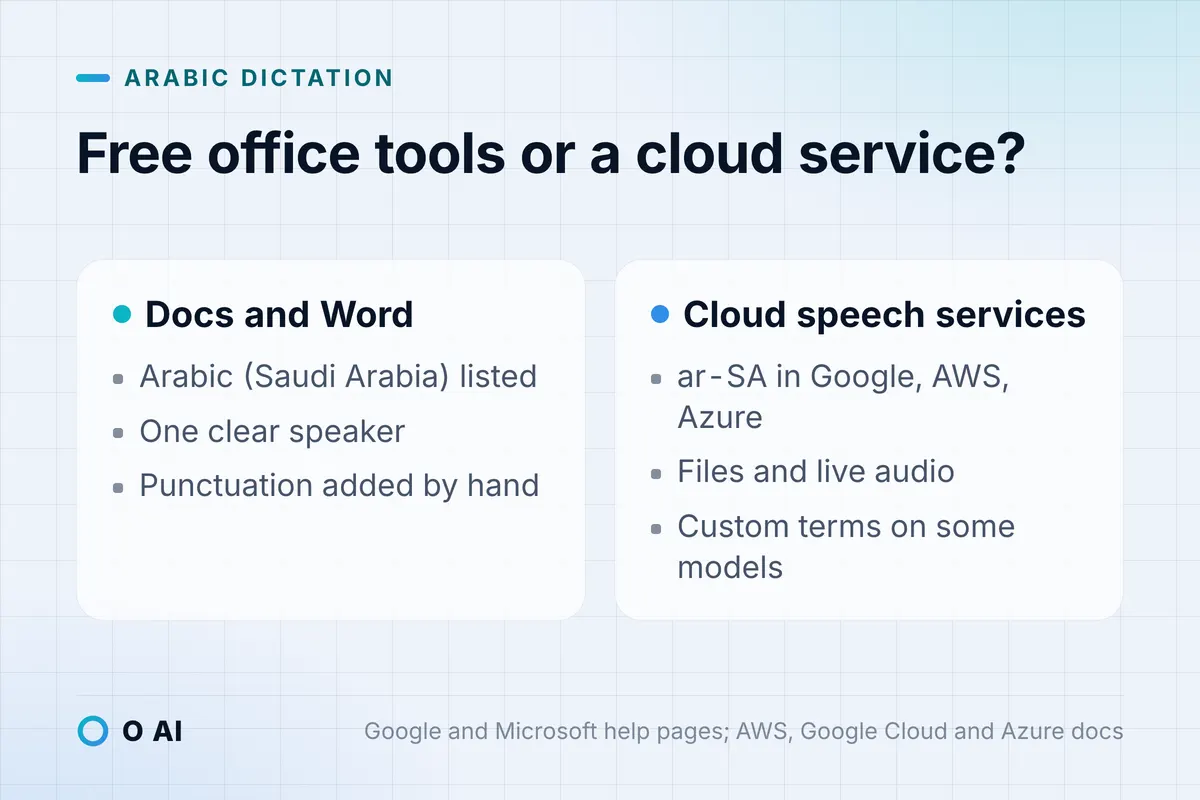
Google Docs voice typing supports general Arabic and a list of regional variants that includes Saudi Arabia, the UAE, Kuwait, Qatar, Oman, Bahrain and Egypt [1]. It works in the latest versions of Chrome, Edge and Safari [1]. One limit matters for Arabic users: voice commands such as "new line" are available only in English, and only when the account and document language are English [1]. You will add punctuation and line breaks by hand.
Microsoft Word Dictate
Word's Dictate feature lists Arabic (Saudi Arabia), Arabic (Egypt) and Arabic (Bahrain), but as preview languages [2]. Microsoft says preview languages may have lower accuracy or limited punctuation support [2]. Dictation needs a Microsoft 365 subscription, a microphone and a reliable internet connection [2].
Both tools suit a person speaking clearly into a microphone. Neither is built for transcribing an hour-long meeting recording with several voices.
Business services for Arabic transcription
When you need to transcribe files at volume, or build speech into your own app, you call a cloud speech service. As of October 2026, the three largest cloud providers list Saudi Arabic in their documentation.
| Service | Arabic for Saudi users | Modes | Notes from the vendor's page |
|---|---|---|---|
| Google Cloud Speech-to-Text | Arabic (Saudi Arabia), ar-SA | Models chirp_3, long and short | Automatic punctuation on all three; no speaker diarization listed for ar-SA [3] |
| Amazon Transcribe | ar-SA (labelled Modern Standard) and ar-AE (labelled Gulf) | Batch and streaming for both | Call Analytics after the call for ar-AE only [4] |
| Microsoft Azure Speech | Arabic (Saudi Arabia), ar-SA | Speech to text, including fast transcription | Custom speech training supported for ar-SA [5] |
Read the labels closely. Amazon labels ar-SA as Modern Standard Arabic and ar-AE as Gulf Arabic [4]. A Saudi customer speaking dialect on the phone may be recognised better by one model than another, and only a test will tell you which.
Location matters too. Google's table lists each Arabic (Saudi Arabia) model by processing location, for example "eu" [3]. That tells you where your audio may be processed, which is a privacy question as much as a technical one.
Which option fits which job?
The right tool depends less on the brand and more on the job. This table maps common Saudi business tasks to the route that usually fits, based on the features each vendor documents.
| Job | Usual route | What to check first |
|---|---|---|
| Drafting an email or memo by voice | Google Docs voice typing or Word Dictate [1][2] | Punctuation is added by hand; Word lists Arabic as preview |
| Minutes of a recorded meeting | Cloud transcription of the file, then human review | Whether the model separates speakers [3] |
| Customer call recordings | Cloud batch transcription; Amazon lists Call Analytics for ar-AE [4] | Where recordings are processed, and consent |
| Live captions for an event | Streaming transcription [4] | Delay, and a person watching the output |
| Voice-over for training videos | AI text to speech with an ar-SA or MSA voice [5][6] | Names, numbers and missing short vowels |
| An app that talks to customers | Speech to text plus text to speech through an API | Both directions tested on real users |
Converting Arabic text to speech with AI
AI text to speech services offer ready-made neural voices that you choose by language and gender.
- Microsoft Azure lists two Saudi voices: ar-SA-ZariyahNeural (female) and ar-SA-HamedNeural (male). It also lists voices for other Arabic locales, from the UAE and Kuwait to Egypt and Morocco [5].
- Google Cloud Text-to-Speech offers Arabic under the code ar-XA, which it describes as Modern Standard Arabic. Voice types include Standard, WaveNet and Chirp 3 HD [6].
The practical difference: a voice tagged for a country, such as ar-SA, is designed to sound local, while an MSA voice suits formal content such as announcements, e-learning or reading official text.
Arabic adds a challenge that English does not have. Written Arabic usually omits short vowels, so the same letters can be read in more than one way. Before you publish audio, listen to names, numbers and any word that changes meaning with its vowels, and add diacritics or rewrite the sentence where the voice reads it wrongly.
How accurate is Arabic speech to text?
Accuracy is measured by the word error rate (WER). WER adds up the words a system inserted, deleted or substituted, divides by the number of words in a human-checked transcript and multiplies by 100 [7].
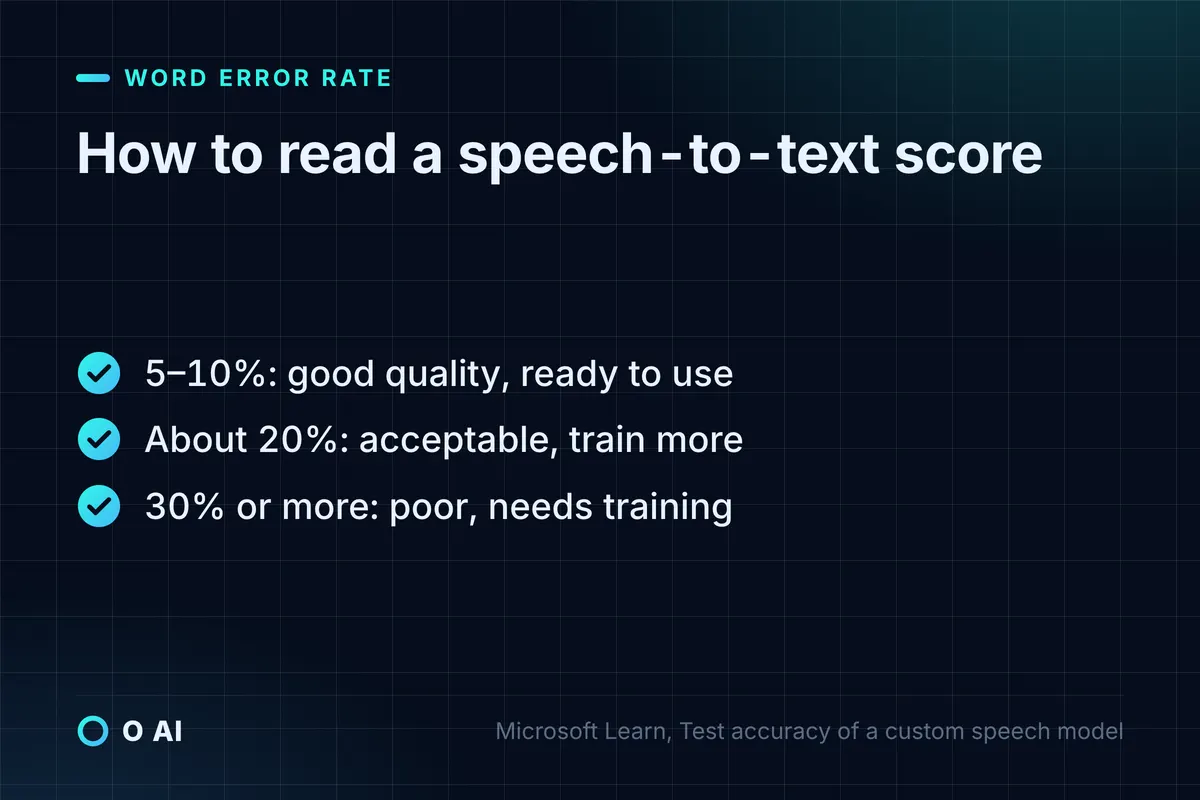
Microsoft's guidance gives a useful scale [7]:
- 5–10%: good quality, ready to use;
- around 20%: acceptable, but more training may help;
- 30% or more: poor quality that needs customisation and training.
The type of error also points to the cause [7]. Many deletions usually mean a weak audio signal, so record closer to the speaker. Insertions suggest background noise or crosstalk. Substitutions often come from domain terms the model has not seen, such as product names, legal terms or people's names.
Vendors do not publish a single Arabic accuracy figure you can rely on for your audio. Microsoft recommends testing with 30 minutes to 5 hours of representative audio and a human-labelled transcript [7]. That is the honest way to compare services.
Illustrative example: scoring a test
A company records a 200-word sample of a typical customer call and has a staff member write the exact transcript. Service A returns text with 6 substituted words, 4 missing words and 2 extra words.
WER = (2 + 4 + 6) ÷ 200 × 100 = 6%, inside the "good" range.
Service B, on the same file, makes 30 errors: 30 ÷ 200 × 100 = 15%. Most of B's errors are substitutions of product names, which points to custom vocabulary or training rather than a better microphone. The figures here are illustrative, not measurements of any real service.
Arabic audio transcription: a workflow that works
Arabic audio transcription of meetings, interviews and calls goes better when you treat it as a process, not a button.
- Record well. One microphone per speaker where possible, little background noise, and a sample rate the service supports.
- Pick the right locale. Choose ar-SA for Saudi speakers, and test ar-AE where the service labels it Gulf Arabic [4].
- Add your vocabulary. Feed names, products and terms to services that support adaptation or custom speech [3][5].
- Review by a person. Have someone who knows the subject correct the text, especially numbers, dates and names.
- Measure, then decide. Score a sample with WER before you commit to a service or a contract [7].
Privacy: voice recordings are personal data
A recording of an identifiable person's voice is personal data under Saudi Arabia's Personal Data Protection Law, issued by Royal Decree M/19 of 9/2/1443H and amended by Royal Decree M/148 of 5/9/1444H [8]. The law's definition of sensitive data includes biometric data that identifies a person, and health data [8]. A recorded medical consultation or a voiceprint used to verify a caller therefore needs extra care.
The law also restricts transfers of personal data outside the Kingdom: Article 29 allows them only in set cases and under conditions, including adequate safeguards and keeping the data to the minimum needed [8]. Before you send recordings to a cloud service, confirm which region processes them. Our guide to data residency in Saudi Arabia explains those transfer rules.

This section is general information, not legal advice; for a specific case, read the official text and ask a licensed lawyer.
A checklist before you choose a service
| Question | Why it matters |
|---|---|
| Is Saudi Arabic (ar-SA) or Gulf Arabic listed for the mode we need, live or batch? | Support differs by locale and mode [3][4] |
| Do we need to tell speakers apart? | Diarization is not listed for every Arabic model [3] |
| Can we add custom words or train the model? | Substitution errors fall with domain terms [7] |
| Where is our audio processed and stored? | Transfers outside the Kingdom have conditions [8] |
| Have we scored a real sample with WER? | Vendor pages do not give your accuracy [7] |
| For text to speech, does a Saudi voice exist, or only MSA? | ar-SA voices exist on Azure; Google lists ar-XA [5][6] |
Your next step
Take one real recording, around 30 minutes of the audio you actually handle, and run it through two services. Score each result for word error rate, and you will know which Arabic speech to text option fits before you spend more. If you plan to build transcription or Arabic voice into your own workflow, our page on AI development and automation explains how O AI approaches such projects, and the O AI home page lists what else we build.
Frequently asked questions
Is there a free way to convert Arabic speech to text?
Yes. Google Docs voice typing supports Arabic, including a Saudi Arabia variant, in the latest Chrome, Edge and Safari browsers. Microsoft Word's Dictate feature lists Arabic (Saudi Arabia) as a preview language and needs a Microsoft 365 subscription. Both work best for one person speaking clearly. Voice commands in Google Docs work only in English, so punctuation is added by hand.
What is the difference between speech to text and audio transcription?
Speech to text is the technology that recognises spoken words and writes them down. Audio transcription is the task of turning a recording, such as a meeting or an interview, into a written transcript. Transcription usually uses speech to text first and then a human review to correct names, numbers and unclear passages before the text is used.
Which service handles the Saudi dialect best?
No vendor page proves which service handles Saudi dialect best for your audio. Google, Amazon and Microsoft all list Arabic for Saudi Arabia, and Amazon also lists a Gulf Arabic model. The reliable way to choose is to test each candidate on your own recordings and compare the word error rate on the same file.
Can AI read Arabic text aloud with a Saudi accent?
Microsoft Azure lists two Saudi neural voices, one female and one male, under the ar-SA locale. Google Cloud offers Arabic voices under ar-XA, described as Modern Standard Arabic. Listen to the output before publishing, because written Arabic often omits short vowels and a voice may misread names, numbers or words whose meaning depends on vowels.
What word error rate is acceptable?
Microsoft's guidance treats a word error rate of 5 to 10% as good quality and ready to use, around 20% as acceptable with room for training, and 30% or more as poor. What is acceptable also depends on use: subtitles for internal training can tolerate more errors than a transcript used as evidence or in a medical record.
Is it legal to transcribe customer calls in Saudi Arabia?
Recorded voices of identifiable people are personal data under the Personal Data Protection Law, so the law's rules on purpose, disclosure and security apply. Health data and identifying biometric data are classed as sensitive. Transfers outside the Kingdom have conditions. This is general information; ask a licensed lawyer about your specific case.
How this article was made: Researched from the official sources listed below, opened on 29 October 2026. Drafted with AI assistance, then checked against those sources. General information, not legal or professional advice. Illustrations were made for this article.
Sources
- Type and edit with your voice (Google Docs Editors Help) (opens in a new tab)Google · support.google.com
- Dictate your documents in Word (opens in a new tab)Microsoft · support.microsoft.com
- Speech-to-Text supported languages (opens in a new tab)Google Cloud · docs.cloud.google.com
- Amazon Transcribe: supported languages (opens in a new tab)Amazon Web Services · docs.aws.amazon.com
- Language and voice support for the Speech service (opens in a new tab)Microsoft Learn · learn.microsoft.com
- Text-to-Speech: supported voices and languages (opens in a new tab)Google Cloud · docs.cloud.google.com
- Test accuracy of a custom speech model (opens in a new tab)Microsoft Learn · learn.microsoft.com
- Personal Data Protection Law (Royal Decree M/19 of 9/2/1443H, as amended) (opens in a new tab)Bureau of Experts at the Council of Ministers · laws.boe.gov.sa
About the author
Newsletter
New guides and news by email
New guides and news about O AI, Rushd and Dalni, at most twice a month. No spam.