 AI


Electronic signature in Saudi Arabia: the law, PDFs and software
A plain-language guide to the electronic signature in Saudi Arabia: the Electronic Transactions Law and its 2023 amendment, the DGA's 2024 Implementing Regulations, how certificate-based and simple signatures differ in evidence, how to sign a PDF, and a checklist for choosing e-signature software.


Key takeaways
- Under Article 14 of the Electronic Transactions Law, an electronic signature made under the law has the same legal effect as a handwritten one.
- Since Council of Ministers Decision 293 of 9/4/1445 AH, the Digital Government Authority applies the law and licenses certification service providers.
- A signature linked to a valid certificate from the National Information Center or a licensed provider gets the law's presumptions of identity and integrity.
- Under the Evidence Law, digital evidence has the force of writing; naming the signing platform in the contract strengthens it (Article 57).
- The law excludes personal status transactions and real-estate deeds unless the responsible body allows them electronically.
On this page
- What an electronic signature is under Saudi law
- Is an electronic signature legally binding in Saudi Arabia?
- Simple and certificate-based signatures: what the difference means
- Who issues digital certificates and licenses providers
- How to sign a PDF electronically, step by step
- How to check an electronic signature you receive
- Choosing electronic signature software: a checklist
- Common mistakes with electronic signatures
- Your next step
An electronic signature in Saudi Arabia has the same legal effect as a handwritten one when it is made under the Electronic Transactions Law (Royal Decree M/18 of 8/3/1428 AH) and its Implementing Regulations. Its strongest form is linked to a digital certificate from a licensed provider; a typed or drawn signature counts, but carries less presumed weight.
What an electronic signature is under Saudi law
The Electronic Transactions Law defines an electronic signature as electronic data included in, attached to or logically linked to an electronic transaction, used to prove the signer's identity and consent, and to detect any change made to the transaction after signing [1].
Law details, as read on 29 October 2026:
- Name: Electronic Transactions Law («نظام التعاملات الإلكترونية»).
- Issued by: Royal Decree M/18 dated 8/3/1428 AH (27 March 2007) and Council of Ministers Decision 80 dated 7/3/1428 AH; published 29/3/1428 AH (17 April 2007) [1].
- Status: in force, with amendments. Article 24 was amended by Royal Decree M/57 dated 1/8/1436 AH [1]. Council of Ministers Decision 293 dated 9/4/1445 AH amended Articles 1, 3, 15, 29 and 30 and repealed the chapter on the National Center for Digital Certification [2][3].
- Regulator: after that amendment, "the Authority" in the law means the Digital Government Authority (DGA) [2][3].
- Implementing Regulations: under the amended Article 30, the DGA's Board issues them [3]. The DGA's website dates the current Regulations 01/06/2024 (June 2024), and Article 25 says they take effect from their publication in the Official Gazette [4].
We read the consolidated text on the Bureau of Experts portal [1] alongside the amended text published by the DGA [2]. This article is general information, not legal advice; for a specific contract, read the official text and consult a licensed lawyer.
Is an electronic signature legally binding in Saudi Arabia?
Yes, within the law's conditions. Article 5 gives electronic transactions, records and signatures binding force, and says their validity cannot be denied only because they were made electronically, provided they meet the law's conditions [1]. Article 14 goes further: where a handwritten signature is required, an electronic signature made under the law satisfies that requirement and has the same legal effect [1].
Two limits apply:
- Consent. Article 4 says no one is obliged to deal electronically without their consent, which may be express or implied. A government body's consent must be express [1].
- Excluded matters. Under Article 3, the law does not apply to personal status transactions or to issuing deeds for real-estate dispositions, unless the responsible body allows them electronically under controls it sets in agreement with the DGA [1][2].
Contracts can be formed electronically. Offer and acceptance may be expressed through electronic transactions (Article 10), and a contract concluded between automated systems is valid even without direct human involvement (Article 11) [1].
Simple and certificate-based signatures: what the difference means
The law does not use the words "simple", "advanced" or "qualified". It does draw a practical line between signatures backed by a digital certificate and everything else.
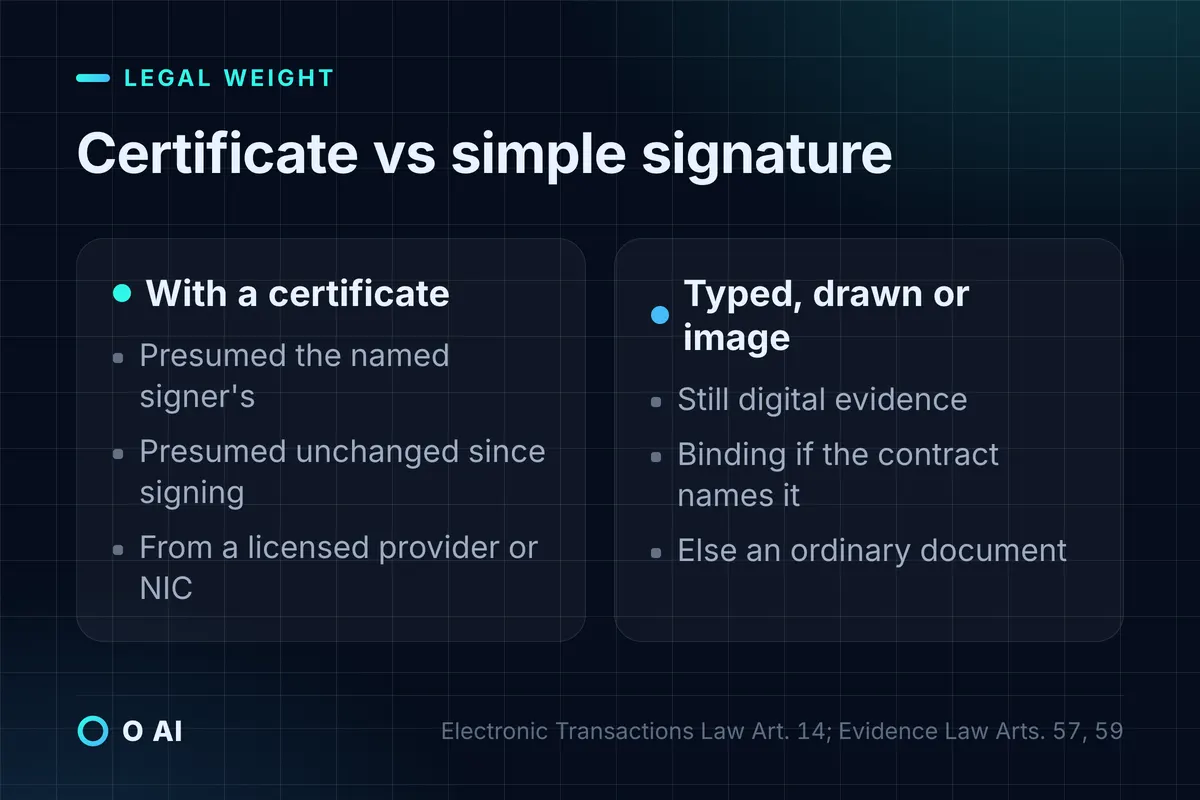
Under Article 14, when an electronic signature is presented in a legal proceeding, it is presumed, unless proven otherwise or the parties agree otherwise, to be the signature of the person named in the digital certificate, placed by that person for the purpose stated, on a transaction unchanged since signing [1]. That presumption does not arise if the signature does not meet the law's and the Regulations' controls [1].
Article 10 of the Implementing Regulations sets those controls. A signature or seal is valid when, among other conditions, it is linked to a digital certificate issued by the National Information Center or a licensed provider, the certificate is in force at signing, and the signer's identity matches the certificate [4].
Signatures without a certificate are still evidence. The Evidence Law (Royal Decree M/43 of 26/5/1443 AH) treats digital signatures and records as digital evidence with the force of writing (Articles 53 to 55). Unofficial digital evidence binds the parties, unless disproven, when it was issued under the Electronic Transactions Law or the E-Commerce Law, came from a digital means named in the contract, or came from a documented or publicly available digital means (Article 57). Otherwise it has the weight of an ordinary document (Article 59) [5].
| Way of signing | Example | Legal position (summary) |
|---|---|---|
| Certificate-based digital signature | Signing with a digital ID issued by a licensed provider | Meets Article 14 presumptions if Regulation controls are met [1][4] |
| Signing on a platform the contract names | Approval on a signing platform agreed in the contract | Binding digital evidence unless disproven (Evidence Law, Art. 57) [5] |
| Typed, drawn or pasted image of a signature | Name typed in a PDF, scanned signature image | Digital evidence; weight of an ordinary document if no Art. 57 case applies [5] |
Who issues digital certificates and licenses providers
The amended law gives the DGA the job of licensing certification service providers and checking their compliance [2]. The Implementing Regulations then set the detail [4]:
- Services a licensee may offer (Article 13): certificates for electronic signatures, electronic seals and website authentication; creating, verifying and preserving signatures and seals; managing signing devices; and electronic timestamps.
- Licence term (Article 15): five Gregorian years from issue, unless the DGA decides otherwise.
- Who can apply (Article 16): among other conditions, an entity whose commercial registration is valid for six months from the application date, with its main office in the Kingdom and "information and communications" as its main activity.
- Local infrastructure (Article 17): the licensee's systems, devices, software and servers must be located inside the Kingdom.
- Foreign certificates (Article 21): the DGA accredits digital certificates issued by foreign bodies outside the Kingdom and publishes a list of the foreign bodies it recognises.
Ask any provider for its DGA licence before you rely on its certificates for important contracts.
How to sign a PDF electronically, step by step
Most people searching "how to sign electronically" want to sign a PDF. There are two different actions, and the tools name them differently.
A. Adding an e-signature (typed, drawn or image). In Adobe Acrobat, for example [6]:
- Open the agreement and select the signature field.
- Create your signature: type your name, draw it, upload an image of it, or use your phone.
- Select Apply, complete the remaining fields, then select Click to Sign.
B. Applying a certificate-based digital signature. In Acrobat [7]:
- Choose All tools, then Use a certificate, then Digitally sign.
- Draw the signature area, pick your digital ID and enter its password.
- Tick "Lock document after signing" if no further edits should be allowed, then sign and save.
Microsoft Office works the same way for Word and Excel files: a digital signature needs a signing certificate from a certification authority, confirms who signed and shows whether content changed after signing, and certificates are typically valid for about a year [8].
The first method proves little about identity on its own. If the document matters, use the second method, or a signing platform that both parties name in the contract.

How to check an electronic signature you receive
Receiving a signed file creates a duty too. Article 14 of the law says whoever relies on another person's electronic signature must take due care to verify it, using the signature verification data [1]. Article 12 of the Implementing Regulations spells out what to check [4]:
- The certificate comes from the National Information Center or a licensed provider.
- The certificate was valid when the signature was made, and has not been revoked or suspended.
- The signer's details in the signature match the certificate holder.
- The signing tool shows no warning of a mismatch or other defect.
If any of these fails, the Regulations treat the signature as not valid [4]. In practice, open the signature panel in your PDF reader, read the certificate details, and keep a copy of the verification result with the contract file.
Choosing electronic signature software: a checklist
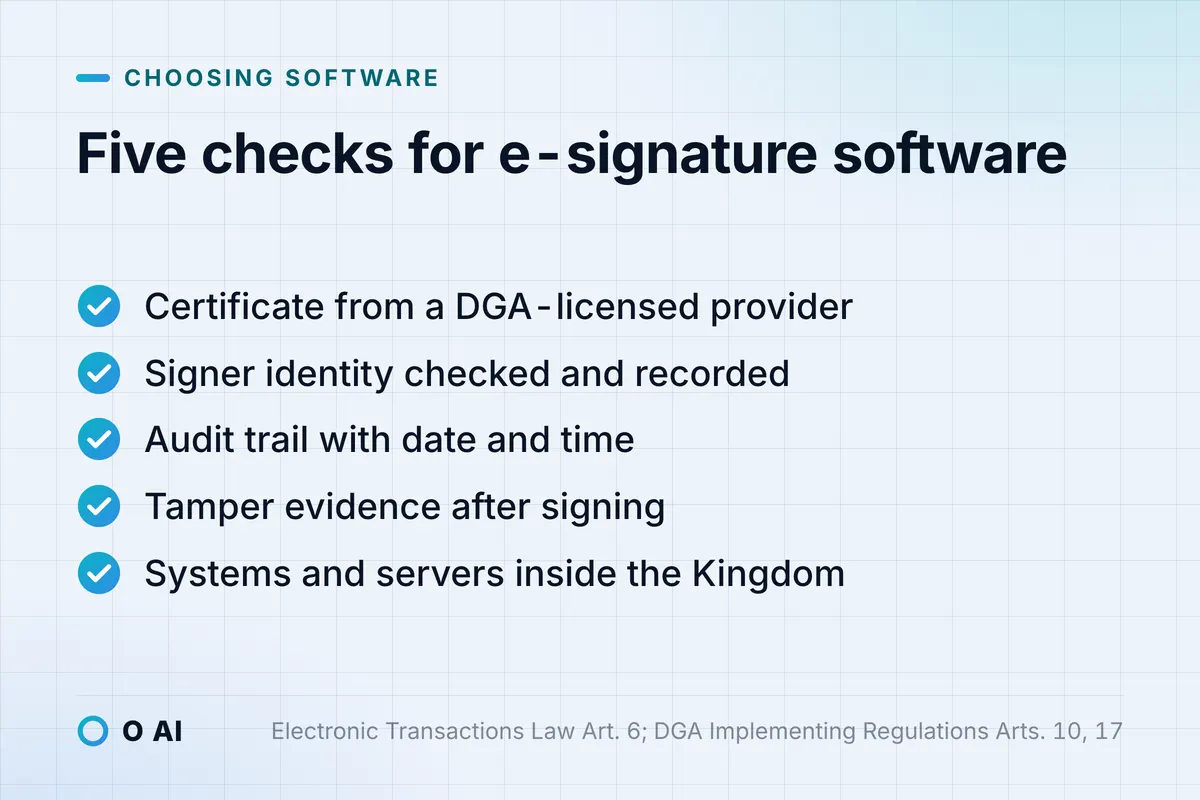
Use these questions when you compare e-signature software for a Saudi company. They follow from the law and Regulations cited above.
- Certificate. Does the signature link to a certificate from the National Information Center or a DGA-licensed provider [4]?
- Identity check. How is the signer identified before signing, and is that recorded?
- Audit trail. Does the platform keep an unchanged record with signer, recipient, date and time, as Article 6 of the law requires for retained records [1]?
- Tamper evidence. Does the signed file show any change made after signing [8]?
- Data location. Where are documents and signing keys stored? Licensed providers must run their systems inside the Kingdom [4].
- Arabic and right-to-left. Do signature fields, emails and certificates display Arabic names correctly?
- Contract clause. Can you name the platform in your contracts, so Article 57 of the Evidence Law applies [5]?
If you also manage incoming and outgoing letters, signing works best inside the same flow; our guide to a correspondence management system shows how companies organise that.
Common mistakes with electronic signatures
- Pasting a scanned signature and calling it signed. It is evidence, but without a certificate it does not get Article 14's presumptions [1][5].
- Not naming the method in the contract. One clause naming the signing platform strengthens your position under Article 57 [5].
- Keeping only a printout. The electronic record must be kept in the form it was created or sent, with sender, recipient, date and time (Article 6) [1].
- Sharing signing credentials. Every use of a signer's signing system is attributed to the certificate holder (Article 22), and forging or misusing signatures is an offence punishable by a fine of up to SAR 5 million, up to five years in prison, or both (Articles 23 and 24) [1].
- Using e-signature for excluded matters. Personal status matters and real-estate deeds follow their own authorities' rules (Article 3) [1].
Scanned paper archives raise a related problem: an image of a signed page is not a searchable record. Our article on Arabic OCR for scanned PDFs explains what can be recovered.
Your next step
List the documents your company signs most often and sort them into three groups: those that need a certificate-based signature, those where a named signing platform is enough, and excluded matters. Then add a signing-method clause to your contract templates. If you plan to build signing into your own systems through a licensed provider's service, our custom software development page describes how such integrations are scoped.
Frequently asked questions
Is an electronic signature valid in Saudi courts?
Yes. The Electronic Transactions Law treats an electronic signature made under its rules as equal to a handwritten one, and the Evidence Law treats digital signatures as digital evidence with the force of writing. A certificate-based signature also benefits from legal presumptions about who signed and that the document is unchanged.
What is the difference between an electronic signature and a digital signature?
"Electronic signature" is the broad term for any electronic data that shows identity and consent, including a typed name or drawn signature. A digital signature is a certificate-based electronic signature: it uses a digital certificate to confirm the signer and reveal any later change to the document.
How do I sign a PDF file electronically?
Open the PDF in a signing tool such as Adobe Acrobat. For a simple e-signature, click the signature field and type, draw or upload your signature, then apply it. For a stronger signature, use the certificate option, choose your digital ID, enter its password and save the signed file.
Do I need a digital certificate to sign electronically?
Not always. Many everyday approvals use signatures without a certificate, and they still count as evidence. But only a signature linked to a valid certificate from the National Information Center or a licensed provider benefits from the law's presumptions of identity and integrity.
Which documents cannot be signed electronically in Saudi Arabia?
The Electronic Transactions Law excludes personal status transactions and the issuing of deeds for real-estate dispositions, unless the responsible authority allows them electronically under its own controls. Check the responsible body's current rules before you sign such documents.
Who regulates electronic signatures in Saudi Arabia?
The Digital Government Authority applies the Electronic Transactions Law after the 1445 AH amendment. It licenses certification service providers under the Implementing Regulations published in June 2024 and keeps a list of recognised foreign certificate issuers.
How this article was made: Researched from the official sources listed below, opened on 29 October 2026. Drafted with AI assistance, then checked against those sources. General information, not legal or professional advice. Illustrations were made for this article.
Sources
- Electronic Transactions Law (Royal Decree M/18 of 8/3/1428 AH) (opens in a new tab)Bureau of Experts at the Council of Ministers · laws.boe.gov.sa
- Electronic Transactions Law (amended text) (opens in a new tab)Digital Government Authority (DGA) · dga.gov.sa
- Council of Ministers Decision No. 293 of 9/4/1445 AH amending the Electronic Transactions Law (opens in a new tab)Umm Al-Qura (Official Gazette) · uqn.gov.sa
- Implementing Regulations of the Electronic Transactions Law (opens in a new tab)Digital Government Authority (DGA) · dga.gov.sa
- Evidence Law (Royal Decree M/43 of 26/5/1443 AH) (opens in a new tab)Bureau of Experts at the Council of Ministers · laws.boe.gov.sa
- E-sign agreements in Adobe Acrobat (opens in a new tab)Adobe · helpx.adobe.com
- Add digital signatures to PDFs in Acrobat (opens in a new tab)Adobe · helpx.adobe.com
- Add or remove a digital signature for Microsoft 365 files (opens in a new tab)Microsoft · support.microsoft.com
About the author
Newsletter
New guides and news by email
New guides and news about O AI, Rushd and Dalni, at most twice a month. No spam.